
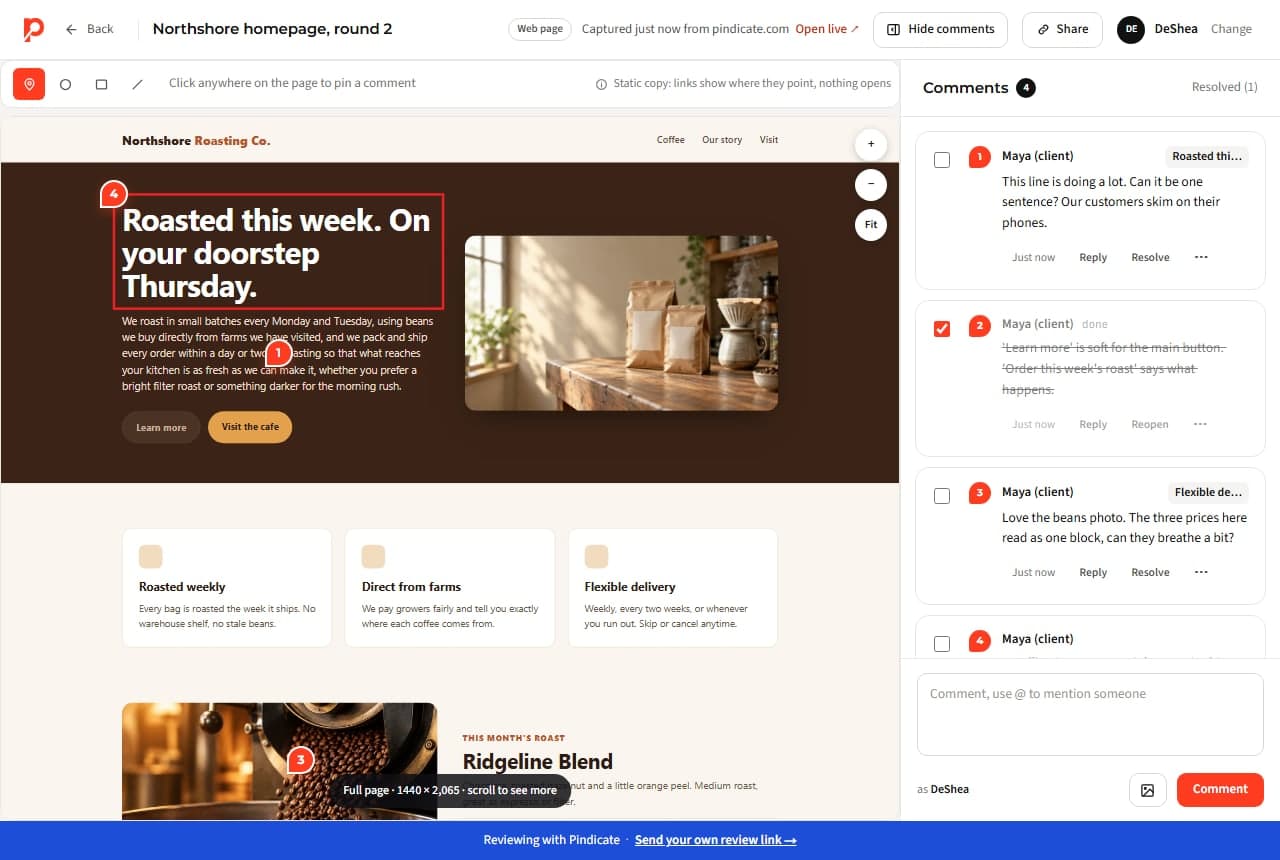
Client feedback on a web page, pinned to the exact spot.
Paste the URL. Your client opens one link, clicks the thing they mean and types. No account, no extension, no “the thing on the left under the blue bit.”
Full-page snapshot, so comments stay put after the next deploy. Pages behind a login? Upload the HTML or a PDF instead.
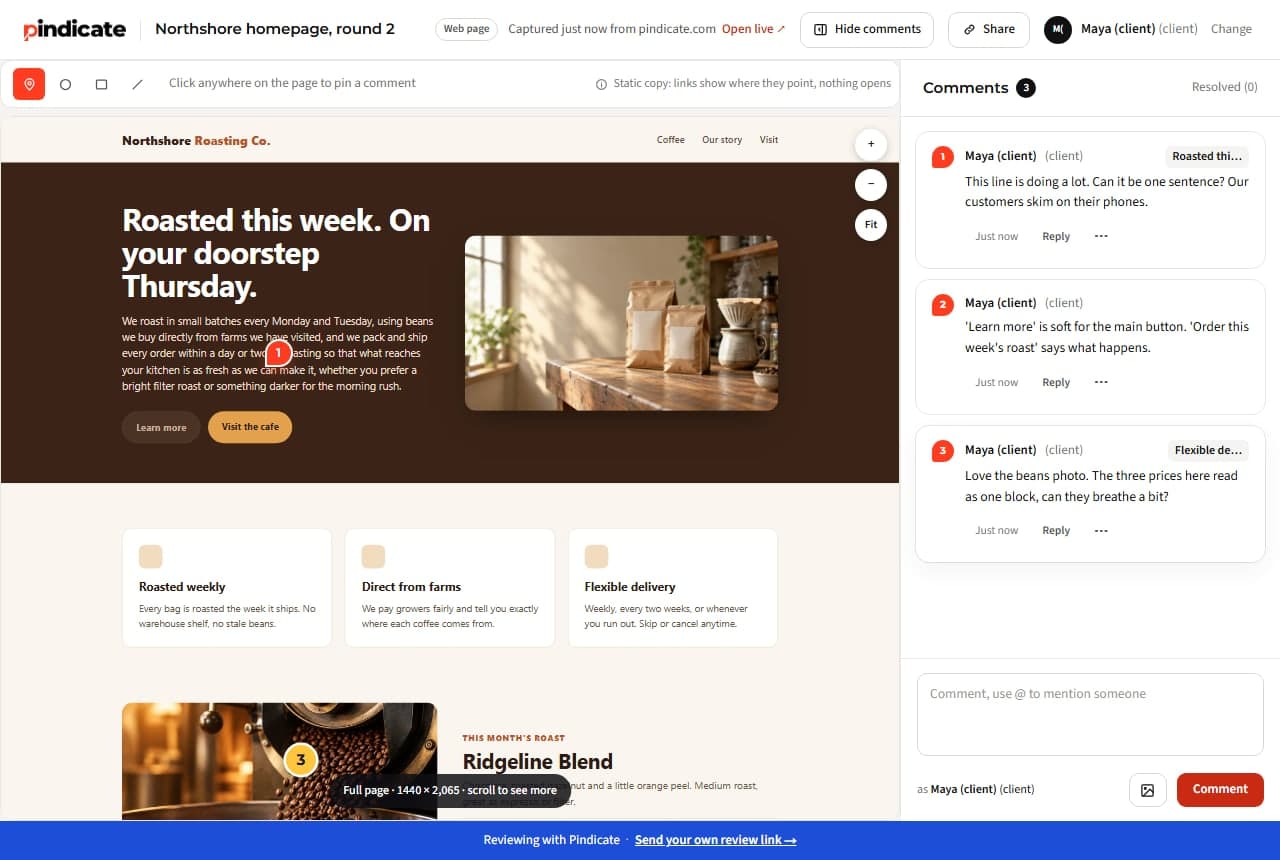
“The header feels off.”
Which header, at which width, and why? A pin on the spot plus a note answers all three before you reply.
Feedback on a page that changed yesterday.
Comments on a live site drift when the site moves. A snapshot freezes the round: what they saw is what the comment is on.
Five people, five channels.
Email, Slack, a marked-up screenshot, a call. One link puts every note in one list, in order, with replies.
How website proofing works on Pindicate
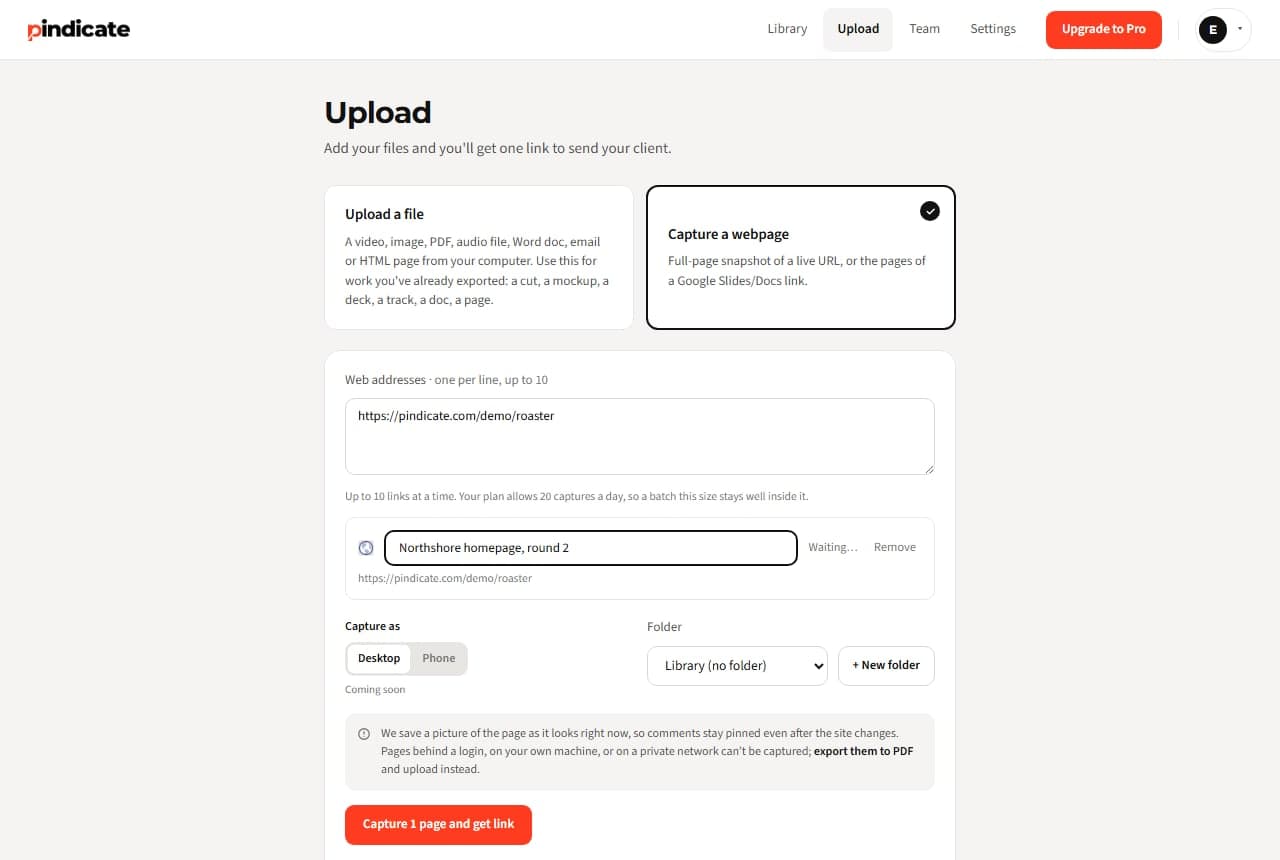
- Paste the URL. Choose “Capture a webpage”. Pindicate saves a full-page picture of the page as it looks right now.
- Send the link. One link per round. Name it for the round (“Homepage v2, Oct 9”).
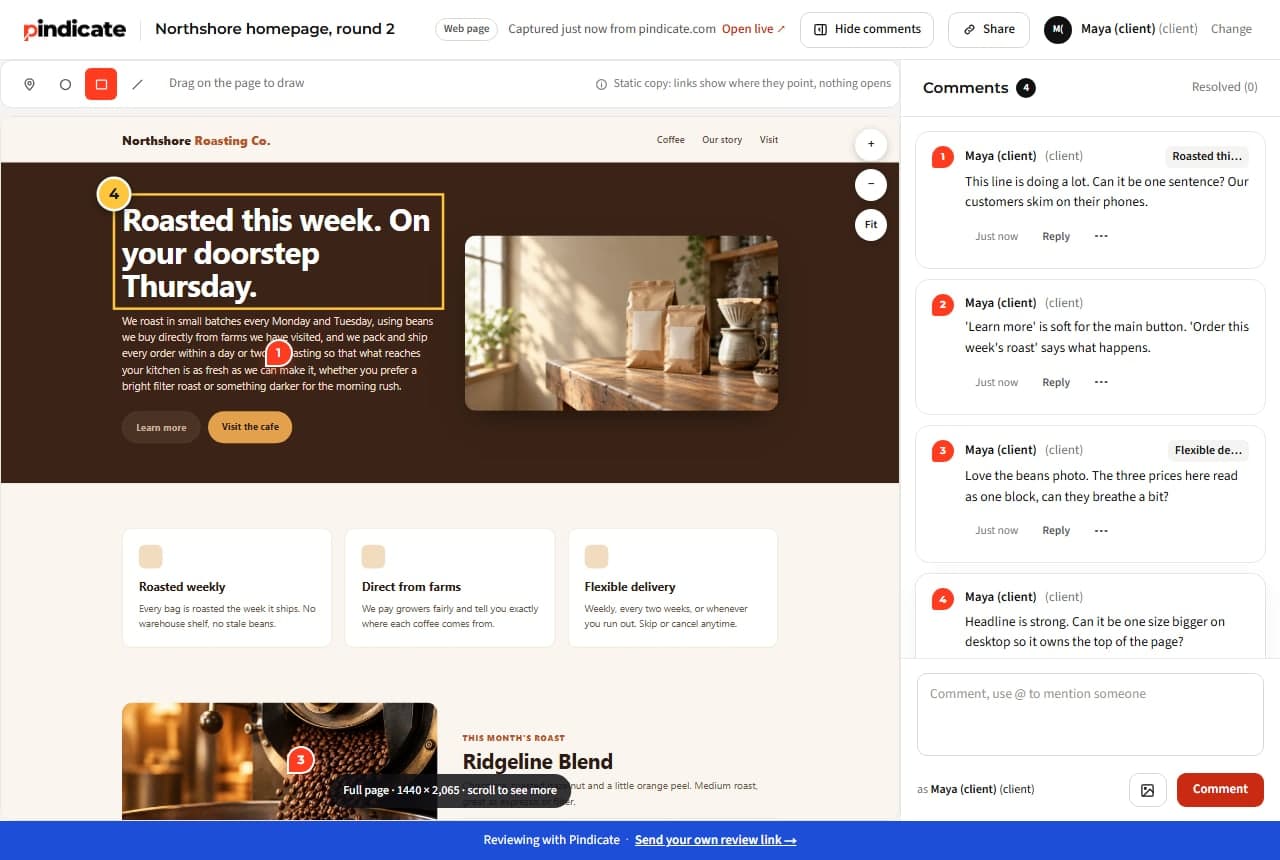
- They click and type. A numbered pin lands where they clicked. They can circle, box or strike through anything.
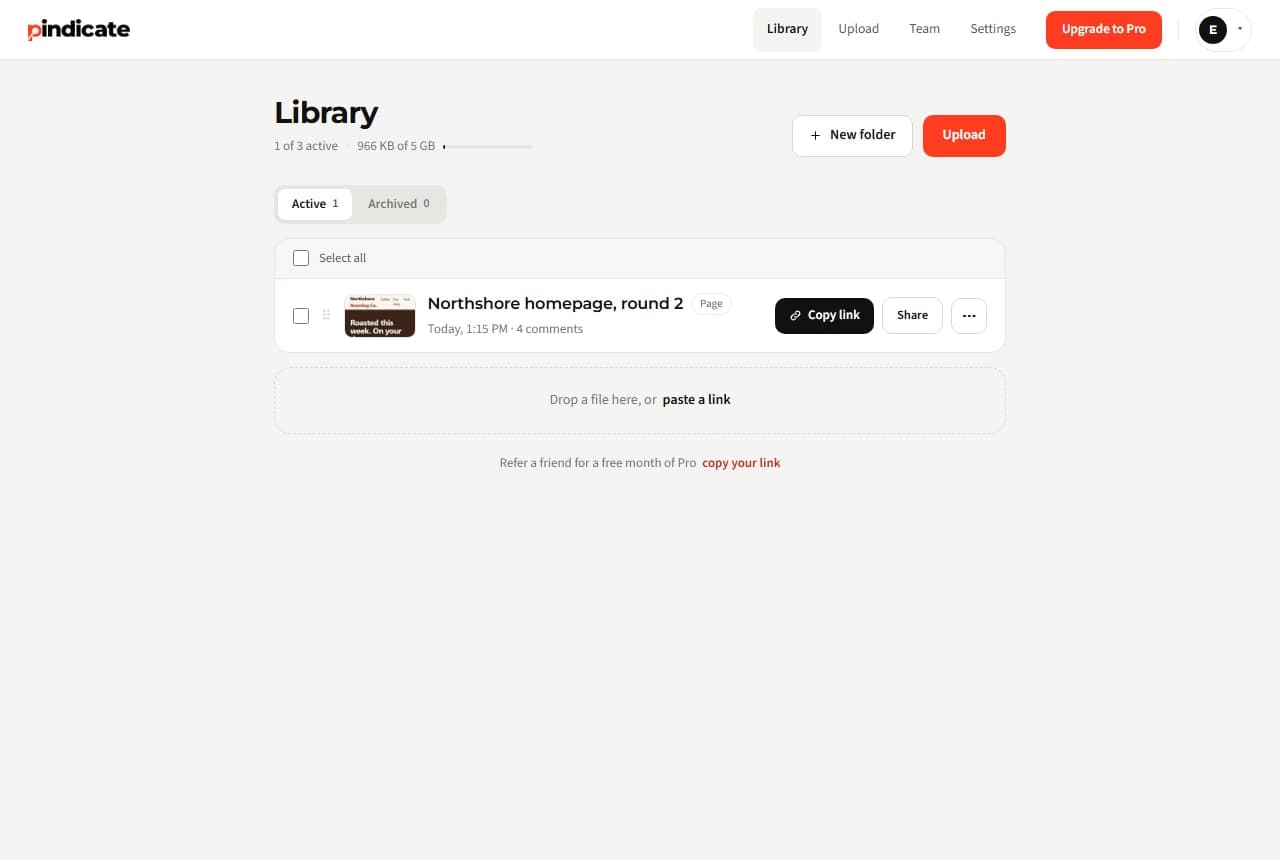
- Fix, reply, resolve. Notes in page order with replies. Resolve each one as you ship it; the client sees it close.
Why a snapshot beats a live page for a review round
A live-page tool is right for bug tracking on a site that deploys daily. For a design round you want the opposite: the page frozen at the moment the client looked, so “the second card” still means the second card next week. Pindicate captures the page; links show where they point and don't open; nothing is added to the client's site.
Honest limits: desktop capture for now (phone capture is coming); pages behind a login or on a private network can't be captured by URL, so upload the HTML file or export a PDF.
If you need element-level bug reports wired to a tracker, that's a developer widget, not this.
The mockup, the brief and the launch video go through the same link
Figma exports as images, the PDF brief, the launch video, the client's Word doc of copy. Same link style, same name-and-comment, nothing new for the client to learn.
- Video
- Audio
- Images
- PDFs
- Websites
- HTML
- Word
- Google Docs and Slides
One flat price. Not per reviewer, not per project.
Free: 3 active reviews, 5 GB, 20 page captures a day. Pro: $12 a month flat, 100 GB, 200 captures a day, 5 teammate logins; clients never count.
- Clients need an account?
- No
- Extension to install?
- No
- Per-reviewer fee?
- No
When the round stalls, Pindicate nudges the client for you
- Versions on the same link. Round 2 replaces round 1 for the client; both stay for you.
- Approval in writing. The client clicks Approve; you get the name and the time.
- Automatic reminders. A quiet client gets a nudge, so you don't have to chase.
- Instant comment emails instead of a daily digest.
- Your logo on the review page, no Pindicate footer, password-protected links.
- Up to 5 teammate logins. A developer sees the same pins.
3 active reviews at a time, 5 GB, 20 page captures a day, every format.
Unlimited active reviews, 100 GB, 200 page captures a day, versions, approvals, reminders, logo, 5 teammate logins.
One flat price. No per-client or per-reviewer fees.See pricing
Questions web designers ask
Do my clients need an account to comment on a web page?
No. They open the link, type a name and click where they mean. No extension, no app.
Does it work on a staging site?
If the staging URL is public, paste it. If it's behind a password or a login, upload the page's HTML file or export it to PDF and upload that.
Is it the live page or a snapshot?
A snapshot: a full-page picture of the page as it looked when you pasted the URL. Comments stay on what the client saw even after you deploy. Links in the snapshot show where they point but don't open.
Can clients draw on the page?
Yes. Click to pin a comment, or draw a circle, a rectangle, a line or a strikethrough on the spot and the note attaches to it.
Can I capture a phone-width version?
Not yet; captures use a desktop viewport for now. Phone capture is on the way. In the meantime, a phone screenshot uploads as an image and pins work the same.
How many pages can I capture?
20 a day on Free, 200 on Pro, up to 10 at a time on Free and 100 on Pro, each page its own review link.
Send the next page as a link, not a screenshot.
Paste the URL, send one link, read every note in one place. Free, nothing to install, nobody signs up to comment.