Pindicate
For freelancers

Your client points at it. You fix it. They sign off.

Send your client one link to the design, video, PDF or website you're working on. They click the exact spot and type the note, with no account to make. Every round, every reply and the final yes stay in one place.

Try it freeOr drop a file in the upload box to try it, no account needed.

Drop a file here

VideoImagePDFURL

Free. No signup. Link ready in about 10 seconds.
Your clients never need an account. Delete it anytime.

Watch a real review, start to finish.

Upload a design, send one link, and the client pins exactly what they want changed. About a minute.

What freelancers send through Pindicate

Brand and print design

Menus, labels, logos and social posts

Drop in the PNG or PDF and send the link. Your client pins the headline they want bigger and circles the illustration they love, right on the artwork.

  1. Upload the file and name the review so your client knows what it is.
  2. They click the spot and type the note. Numbered pins match the comments.
  3. Reply under each note, and mark it resolved when it's done.
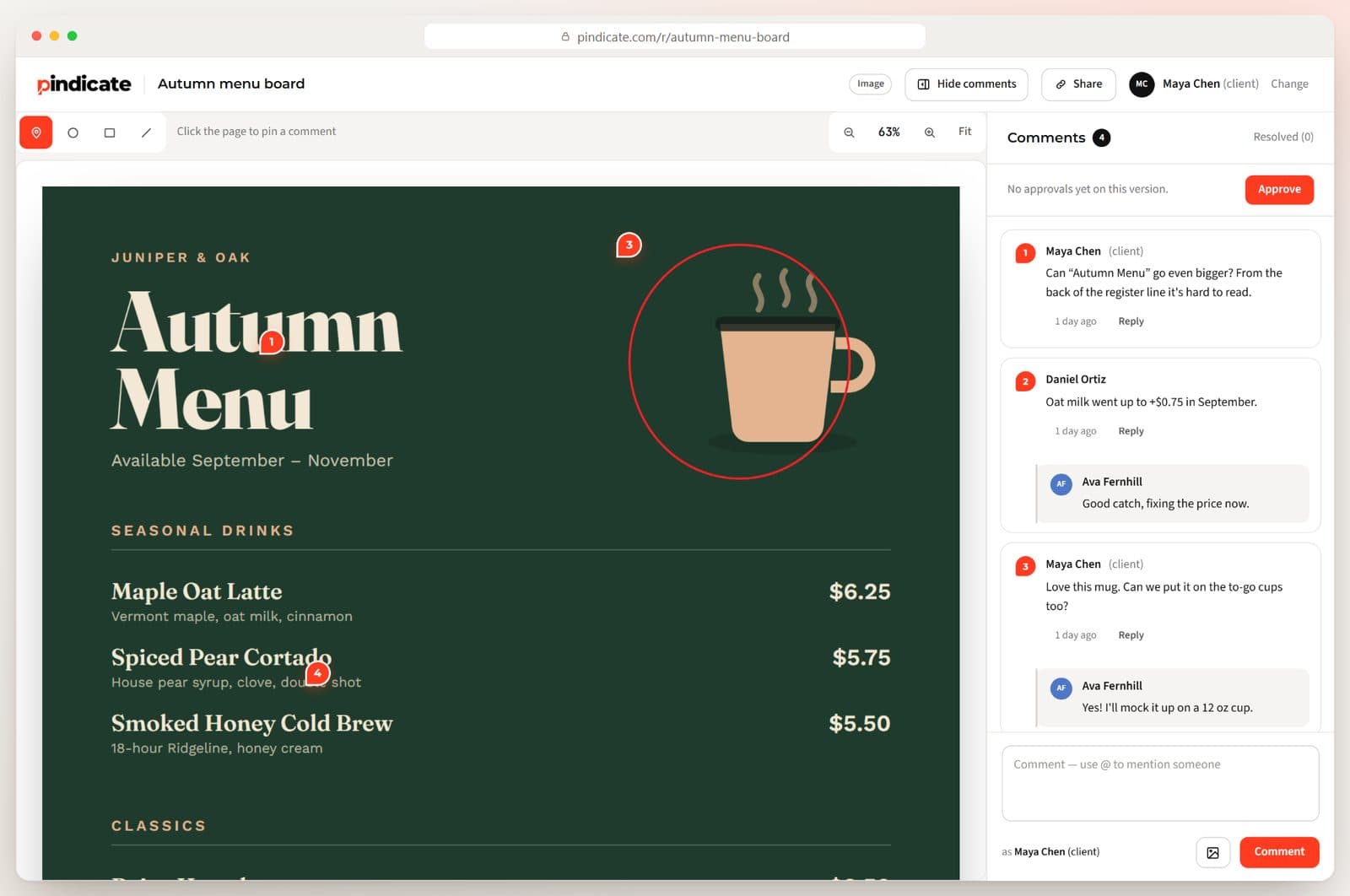
An autumn menu design with four numbered pins, a circle around the mug, and the client's comments with a designer reply
Video edits

Cuts, promos and reels

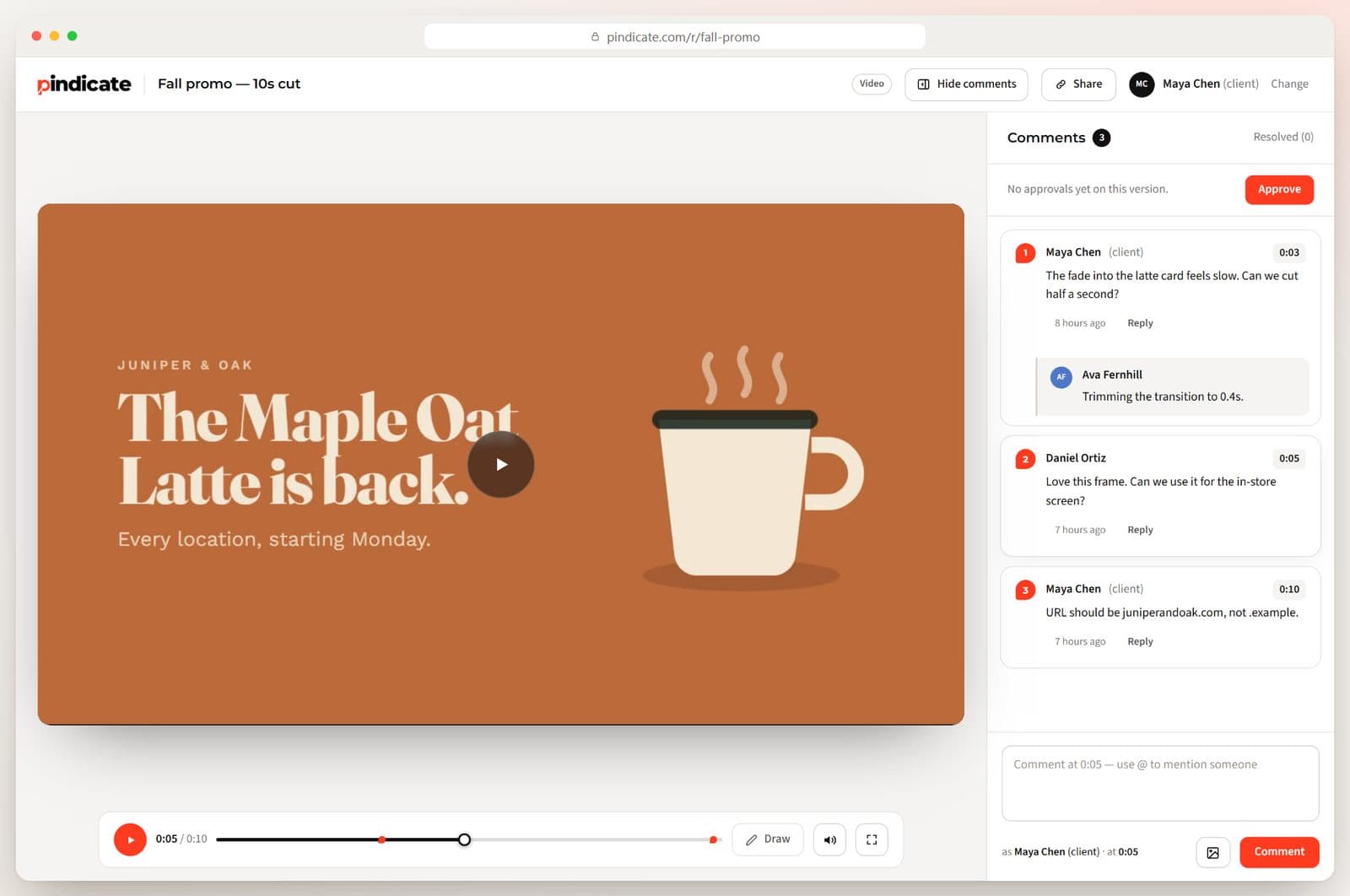
Notes land on the exact second, so “something feels slow” becomes a timestamp you can jump to. Clients can also draw on the frame.

  1. Upload the cut. It plays in the browser, on any device.
  2. Your client pauses where they want a change and types it. The time is saved with the note.
  3. Click a note to jump straight to that moment.
A video review with comments at 0:03, 0:05 and 0:10, and a reply saying the transition was trimmed to 0.4 seconds
Websites before launch

Landing pages, sites and HTML emails

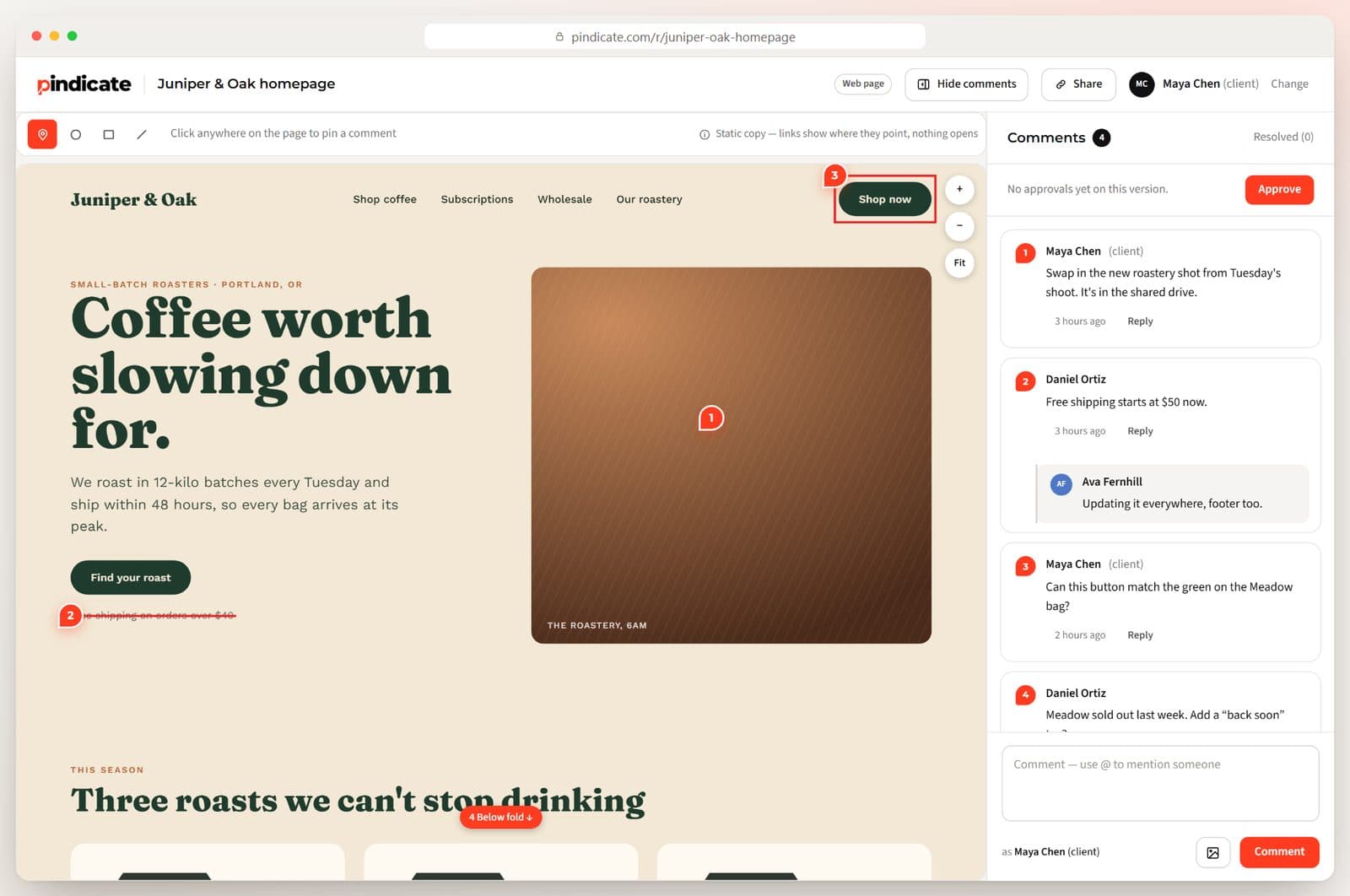
Paste a link or upload an HTML file. Your client clicks the actual button or headline, and the pin stays with that element.

  1. Paste the staging URL, or upload the HTML file.
  2. Your client pins on the page, draws a box or strikes out old copy.
  3. Fix it, reply, and send the same link back.
A website review with a box drawn around the Shop now button, crossed-out shipping text, and four client comments
PDFs, decks and print proofs

Brochures, pitch decks and price sheets

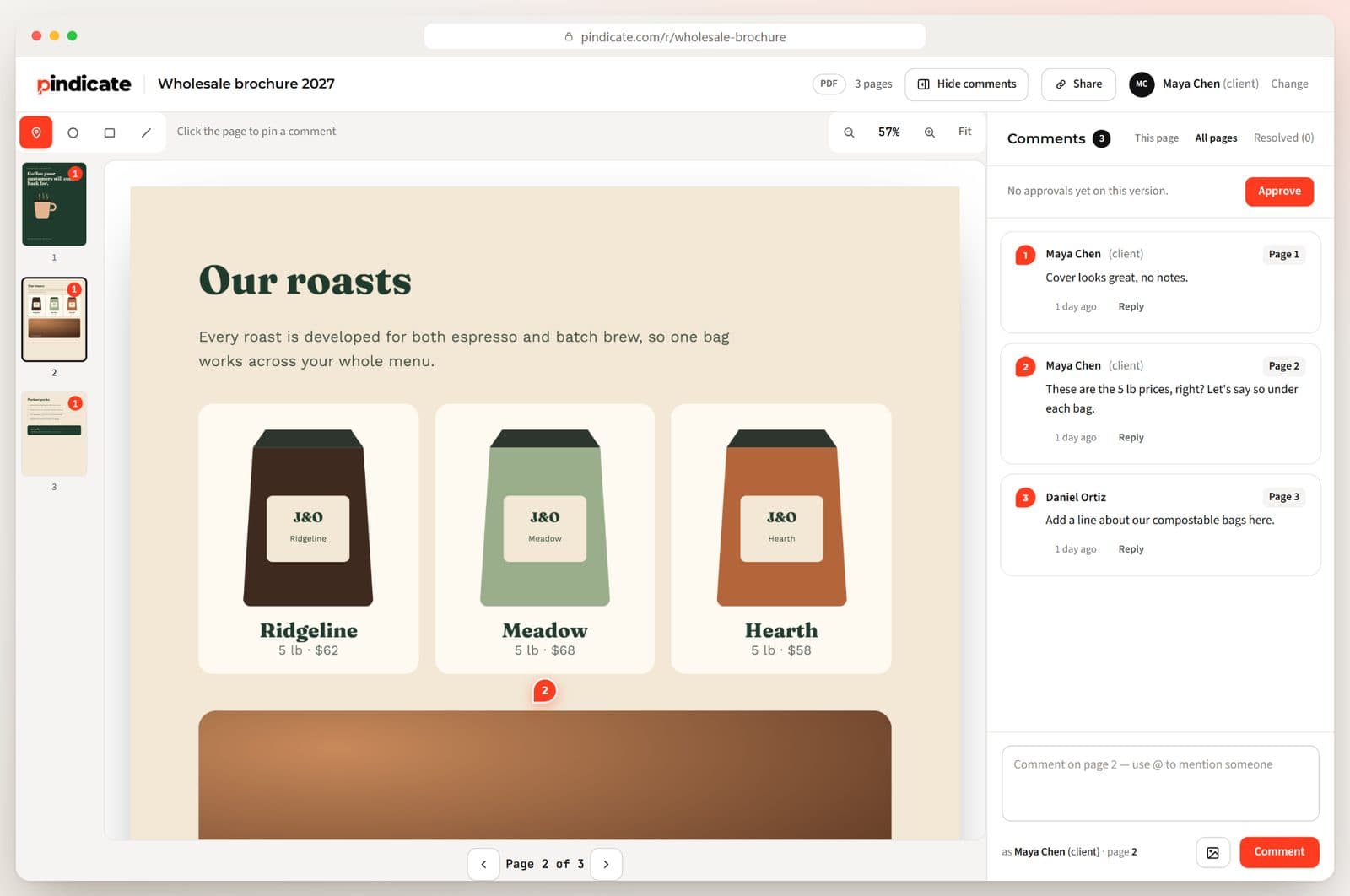
Every note is tied to its page. Your client flips through with the arrow keys and comments where they are.

  1. Upload the PDF, or paste a Google Docs or Slides link.
  2. Your client pins notes on the page they're reading.
  3. Filter by page, or see every note at once.
A three-page wholesale brochure review with page thumbnails and comments tagged Page 1, Page 2 and Page 3
Clients on their phone

Feedback from the couch, the car or the café

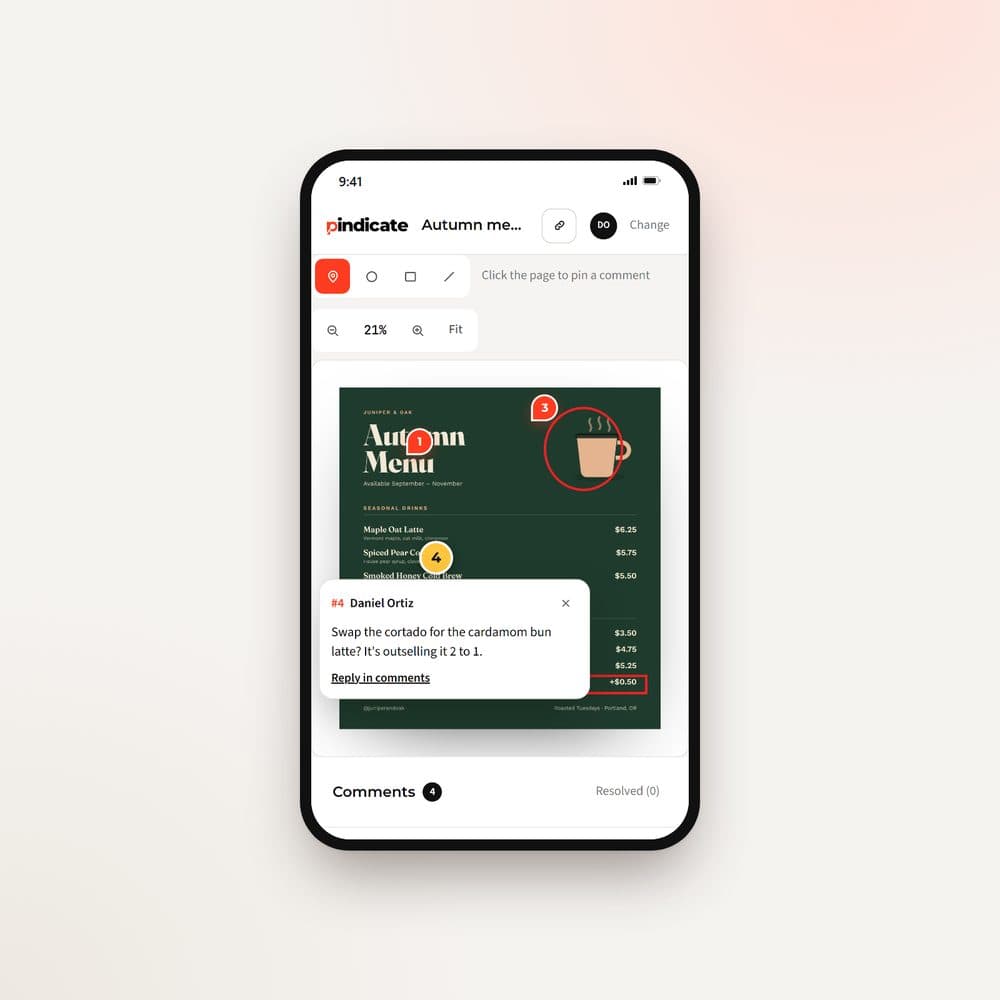
Most clients open your link on a phone. They pinch to zoom, tap the spot, and the comment box opens right there.

  1. Send the link by text, email or Slack.
  2. Your client taps the spot and types. No app, no login.
  3. You get an email when they comment.
A client's phone showing the menu design with pins and a comment open at pin 4
The final yesPRO

Approval in writing, with a name and a date

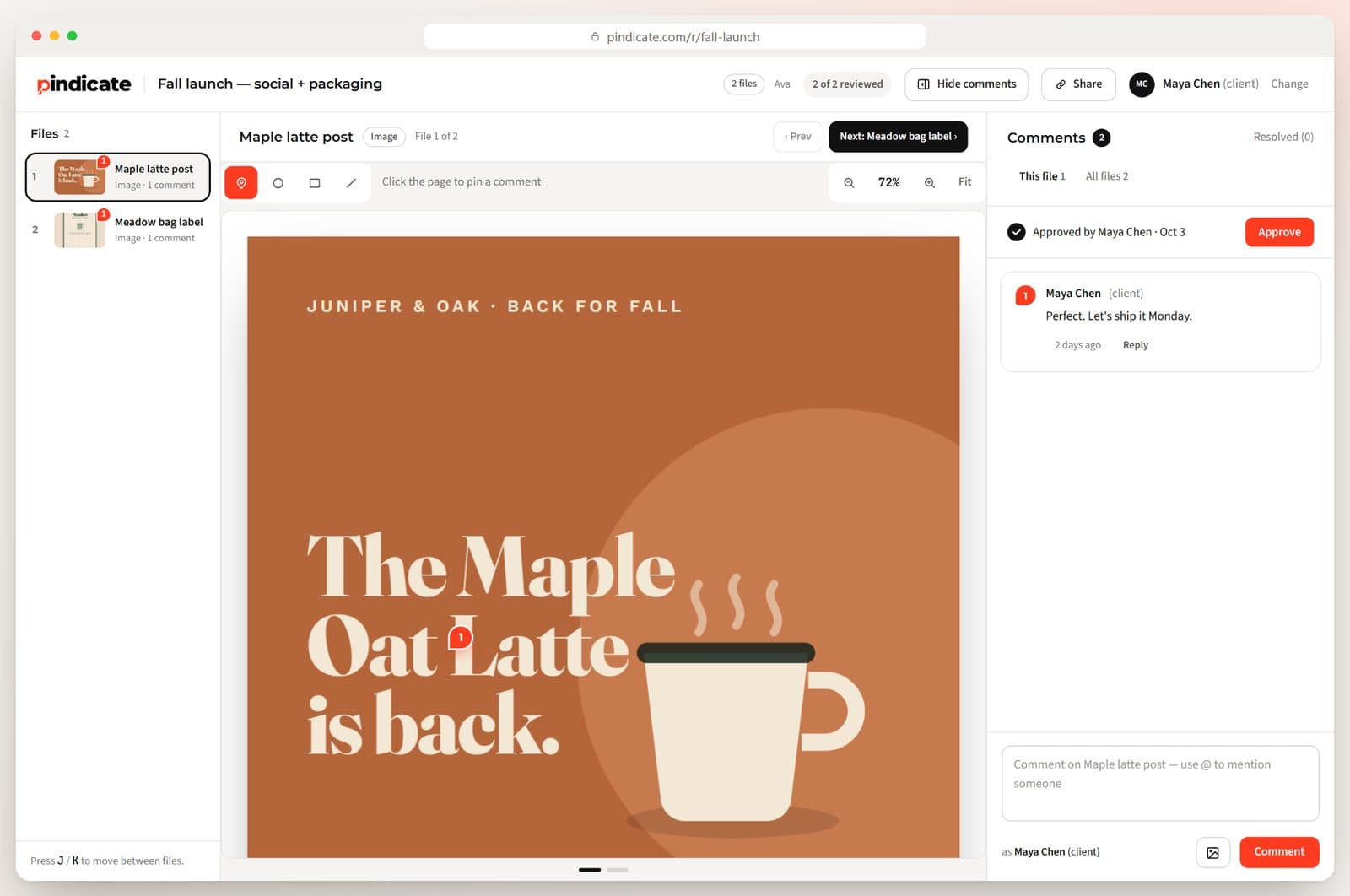
When it's right, your client clicks Approve. You get an email right away, and their name and the time are saved on the review.

  1. Your client clicks Approve on the version they're happy with.
  2. You get an email the moment they do.
  3. “I never signed off on that” is no longer a conversation.
A two-file review marked Approved by Maya Chen on Oct 3, with her comment: Perfect. Let's ship it Monday.

One project, one link, one week

  1. MondayUpload round one of the menu and email your client the link.
  2. TuesdayShe opens it on her phone at lunch and pins four notes. You get an email.
  3. WednesdayYou make the changes, reply “Done” under each note, and upload round two to the same link.PRO
  4. ThursdayShe's gone quiet, so Pindicate sends her a friendly reminder for you.PRO
  5. FridayShe clicks Approve. You get the email with her name and the time, and send the files to print.PRO
Free
$0

3 active reviews at a time, every file type, and clients never pay or sign up.

Pro
$12/moor $96/yr

Unlimited reviews, up to 2 GB per video, versions on the same link, client approvals and automatic reminders.

One flat price. No per-client or per-reviewer fees. See every plan

Questions

Do my clients need an account?

No. They open your link, type their name and start commenting. No app, no password, nothing to install.

What can I upload?

Video, audio, images, PDFs, websites (paste a link), HTML files, Word docs, Google Docs and Slides, and emails.

How big can my video files be?

Up to 250 MB per video on Free, and up to 2 GB per video on Pro.

What does it cost?

Free covers 3 active reviews at a time. Pro is $12 a month or $96 a year for unlimited reviews, versions, approvals and reminders. Your clients never pay.

Send your next round through Pindicate.

Upload a file and you'll have a review link in about 10 seconds. Free to start, no card needed.