
Feedback on your audio, at the exact second.
Send one link to the episode, the ad read or the trailer. The host, the sponsor or the guest presses play, pauses where something's off, and types. The note keeps the second. No account, no app.
MP3, WAV, M4A and OGG. Nothing is re-encoded, no per-file size limit.
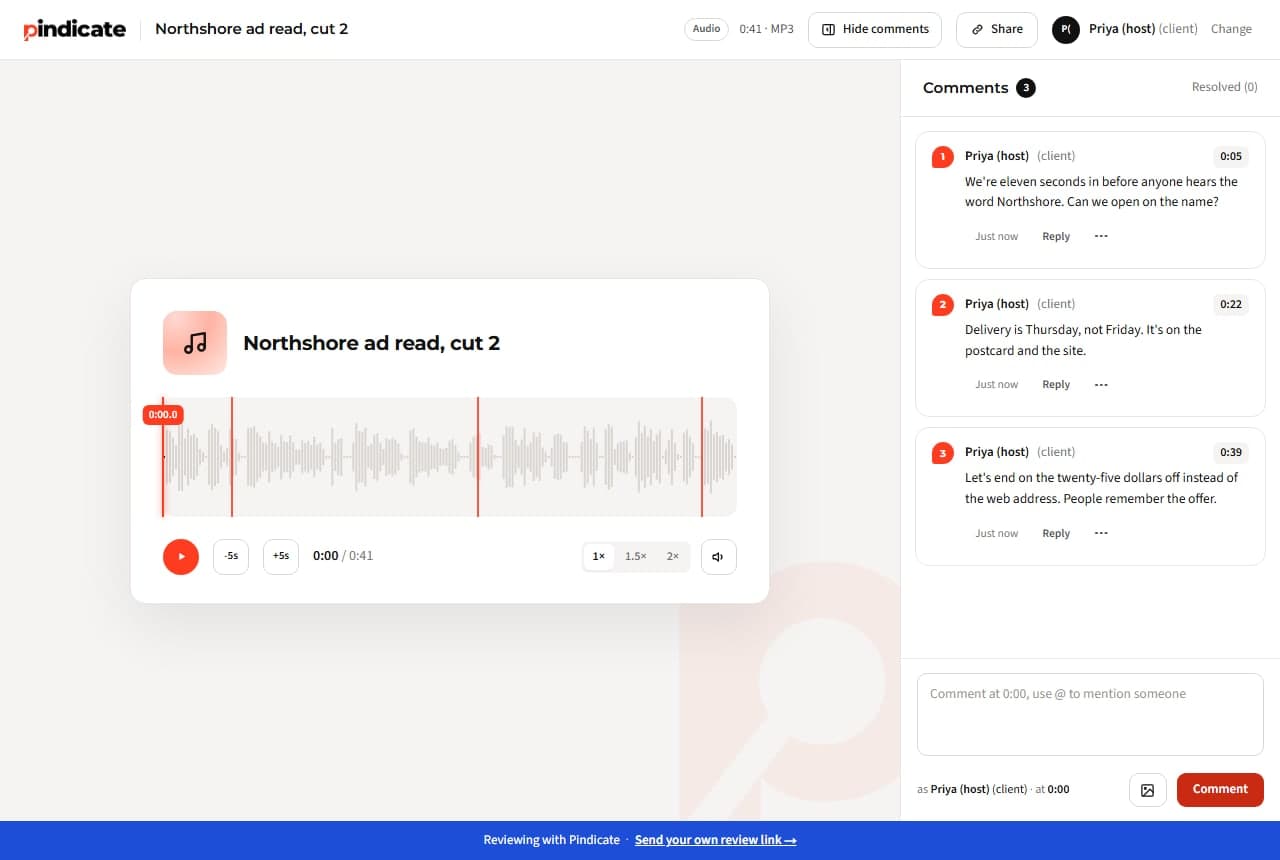
“Around the middle, where she talks about the farm.”
Where in a 48-minute episode is the middle? A timestamped note ends the hunt: click it and the player jumps there.
Sponsor notes in an email, host notes in a text.
The ad read, the intro and the outro get feedback from different people in different places. One link puts every note in one list, in time order.
“Which cut did you send me?”
On Pro every round goes on the same link as a new version. Everyone opens the current one; the old cuts stay underneath.
How podcast review works on Pindicate
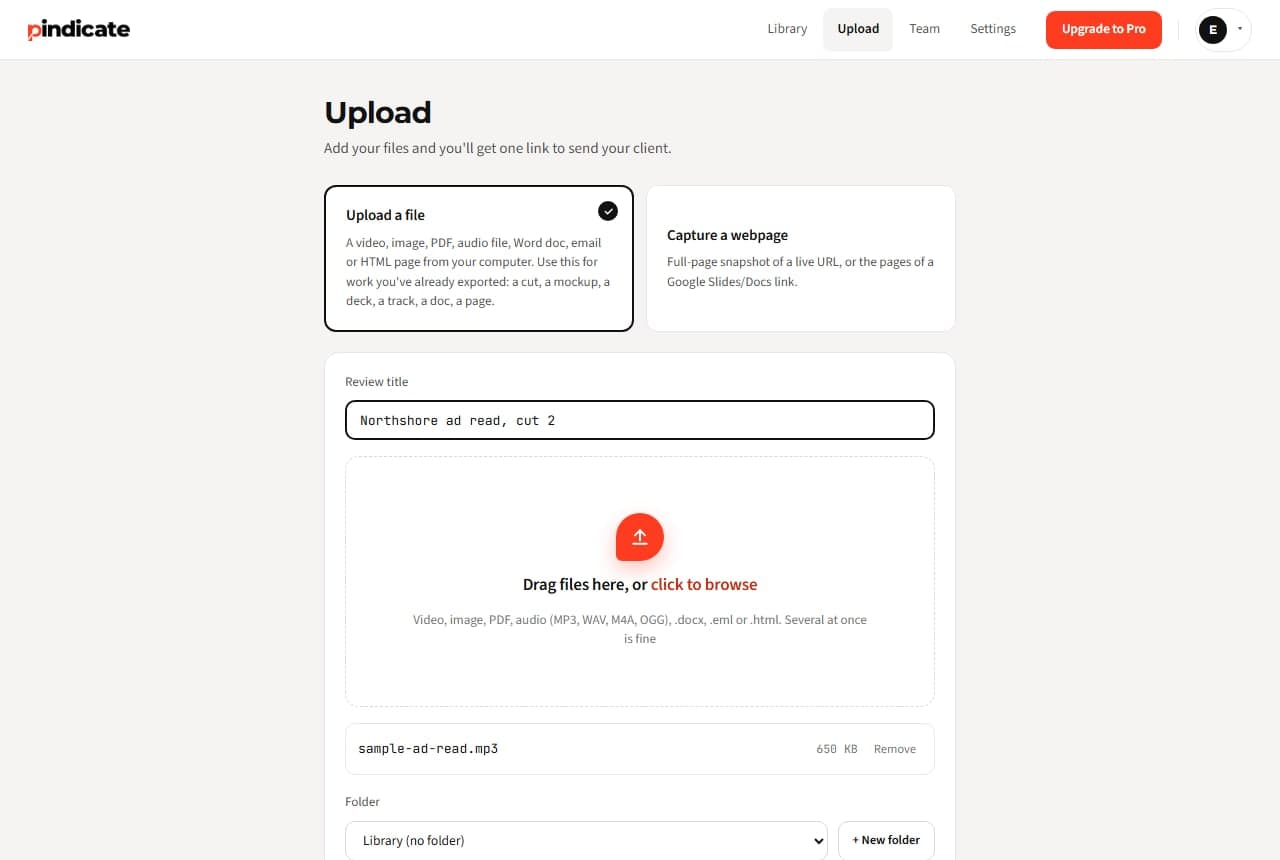
- Upload the audio. MP3 or WAV straight from your editor. One link.
- Send the link. To the host, the sponsor, the guest. Name it for the round (“Ep 42 ad read, v2”).
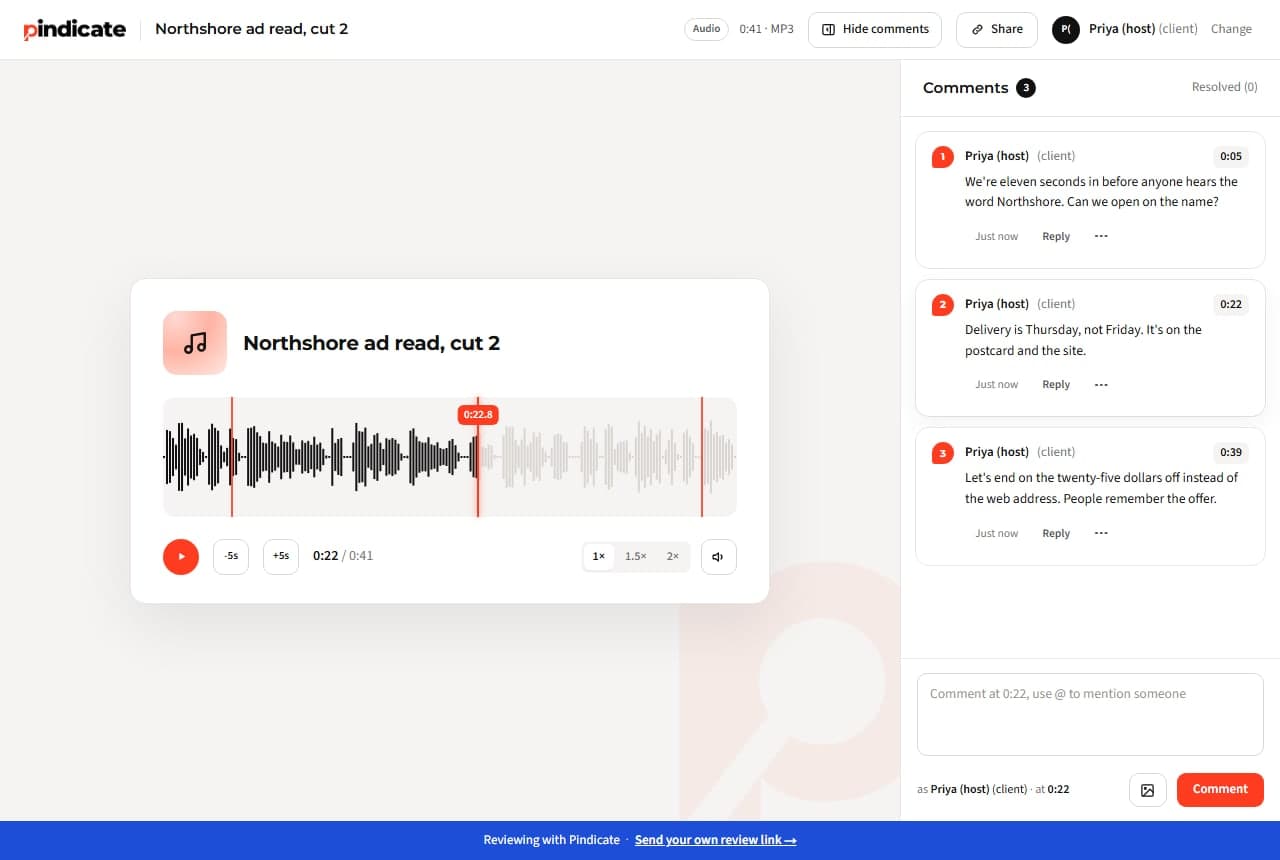
- They press play and type. Pause anywhere and the note keeps the second. Tick marks on the waveform show where the notes are.
- You fix, reply, resolve. Notes in time order with replies. Skip 5 seconds back and forth, change the speed, mute. On Pro the next cut goes on the same link.
Sponsor sign-off, in writing
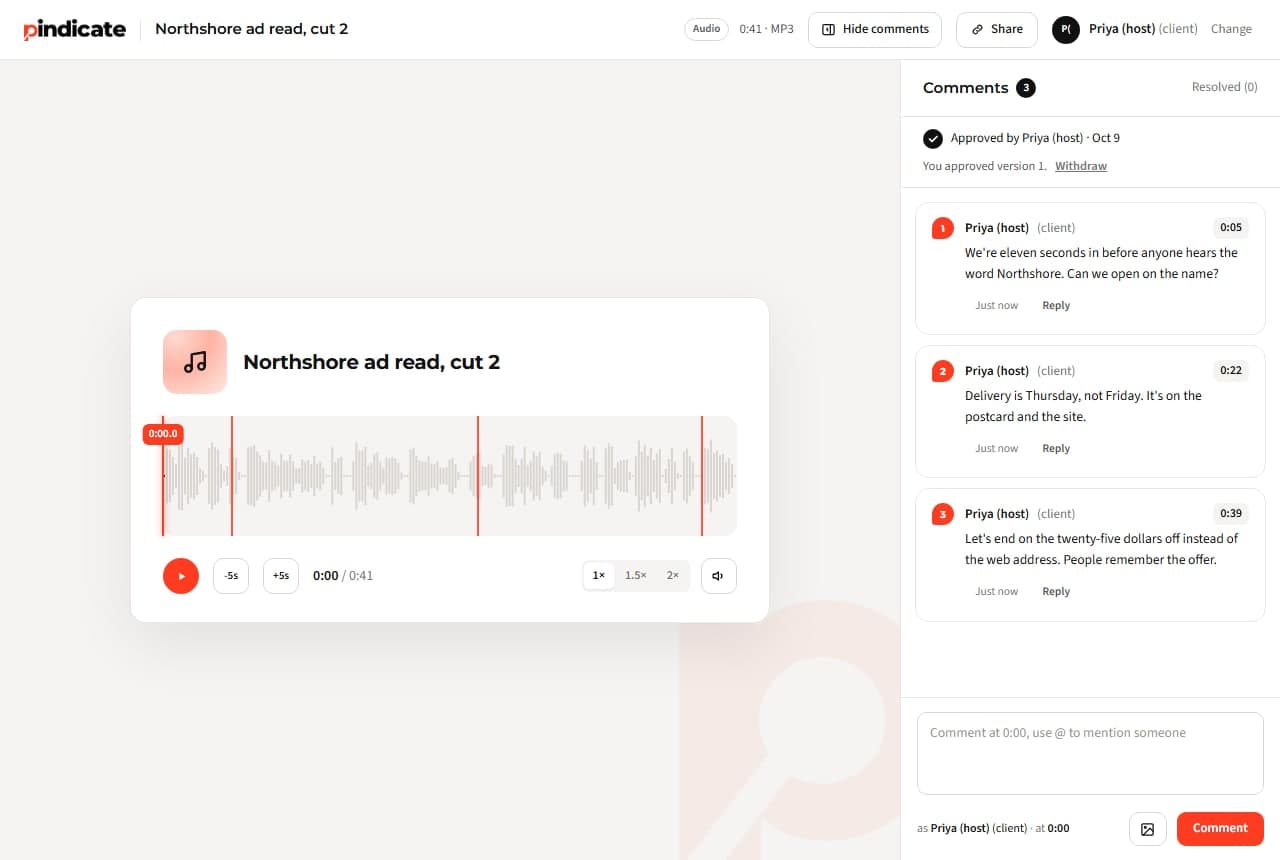
On Pro the sponsor clicks Approve on the ad read and you get the email with their name and the time. Automatic reminders nudge a sponsor who's gone quiet. Versions keep the approved read next to the one they rejected.
Pindicate is for feedback and sign-off. It doesn't transcribe, host or publish anything; your editor and your host do that.
Cover art, show notes and the trailer go through the same link
Episode art as an image (pins), the show-notes PDF, the video trailer (timestamps), the sponsor's Word doc of copy. Same link style, same name-and-comment.
- Video
- Audio
- Images
- PDFs
- Websites
- HTML
- Word
- Google Docs and Slides
One flat price. Not per sponsor, not per guest.
Free: 3 active reviews, 5 GB. Pro: $12 a month flat, 100 GB, 5 teammate logins; reviewers never count.
- Reviewers need an account?
- No
- Per-reviewer fee?
- No
- Per-file limit?
- None
When a sponsor goes quiet, Pindicate nudges them for you
- Versions on the same link. The next cut replaces the last for the reviewer; both stay for you.
- Approval in writing. The sponsor clicks Approve; you get the name and the time.
- Automatic reminders. A quiet sponsor gets a nudge, so you don't have to chase.
- Instant comment emails instead of a daily digest.
- Your logo on the review page, no Pindicate footer, password-protected links.
- Up to 5 teammate logins. A second editor sees the same notes.
3 active reviews at a time, 5 GB, every format.
Unlimited active reviews, 100 GB, versions, approvals, reminders, logo, 5 teammate logins.
One flat price. No per-sponsor or per-reviewer fees.See pricing
Questions podcasters ask
Can a sponsor comment on an ad read without an account?
Yes. They open the link, type a name, press play and comment. No app, no login. Each note keeps the second it was left on.
What audio formats work?
MP3, WAV, M4A and OGG. Nothing is re-encoded, so the browser plays the exact file you upload, and there's no per-file size limit.
Can they jump to the spot a note is about?
Yes. Every note on audio is saved with its second. Clicking the note moves the playhead there, and tick marks on the waveform show where the notes sit.
Does it transcribe the episode?
No. Pindicate is for feedback and sign-off on the audio itself. Transcription stays in your editor or your hosting tool.
Can I send a new cut without a new link?
On Pro, yes. Upload the next version to the same review; the link opens the new cut and the earlier ones stay underneath with their notes.
How long can the file be?
There's no per-file limit. Free includes 5 GB of storage in total and Pro 100 GB, so a two-hour WAV is fine.
Send the next cut as a link, not an attachment.
Upload the audio, send one link, read every note at the second it's about. Free, nobody signs up to comment.