
Client feedback on your artwork, pinned to the exact spot.
Send one link to the logo, the postcard or the menu. Your client clicks the thing they mean, circles it if they like, and types. No account, no app, no “the bit near the top.”
PNG, JPEG, WebP, GIF and PDFs up to 100 pages. No per-file size limit.
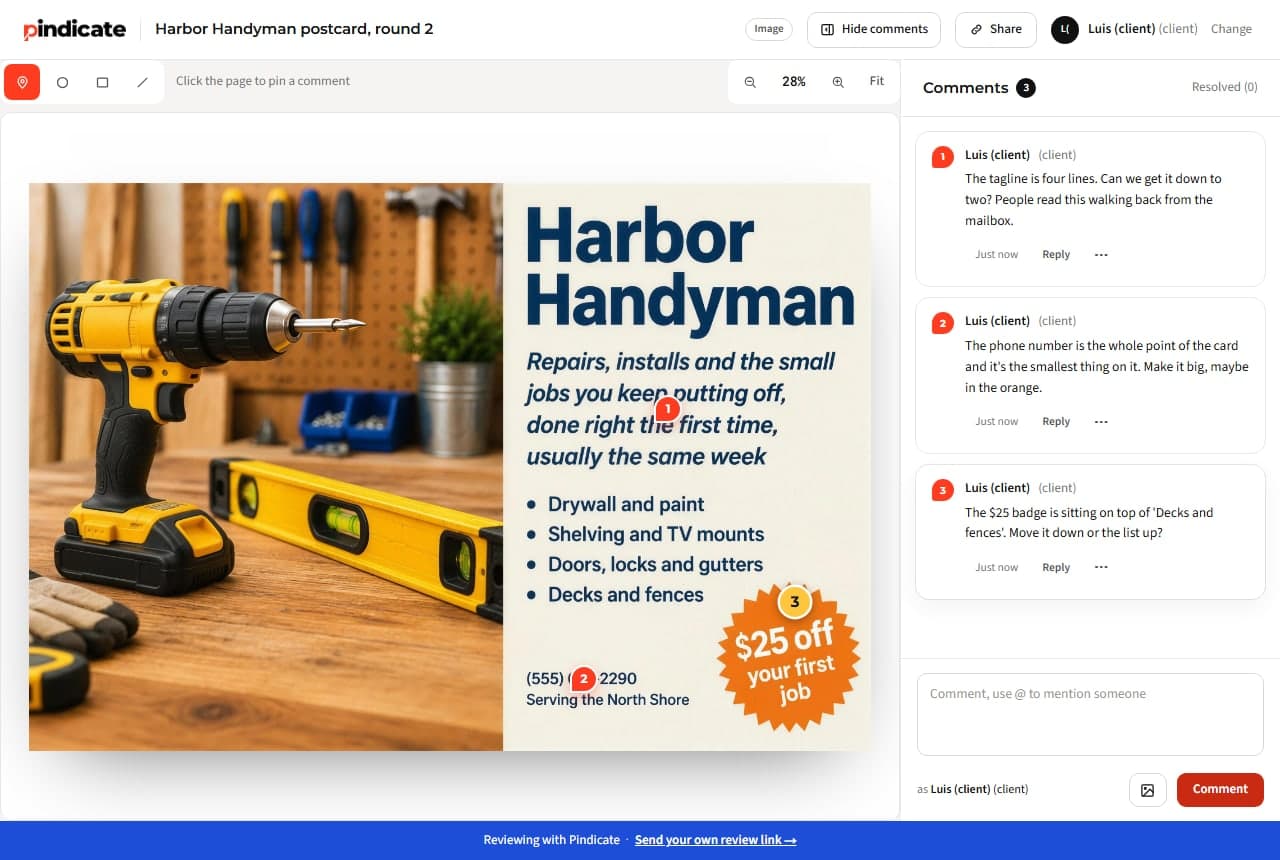
“Can the logo be bigger?”
Bigger than what, on which card? A pin on the spot with the reason attached tells you what to change, not just that something should.
Round four, and nobody can find round two.
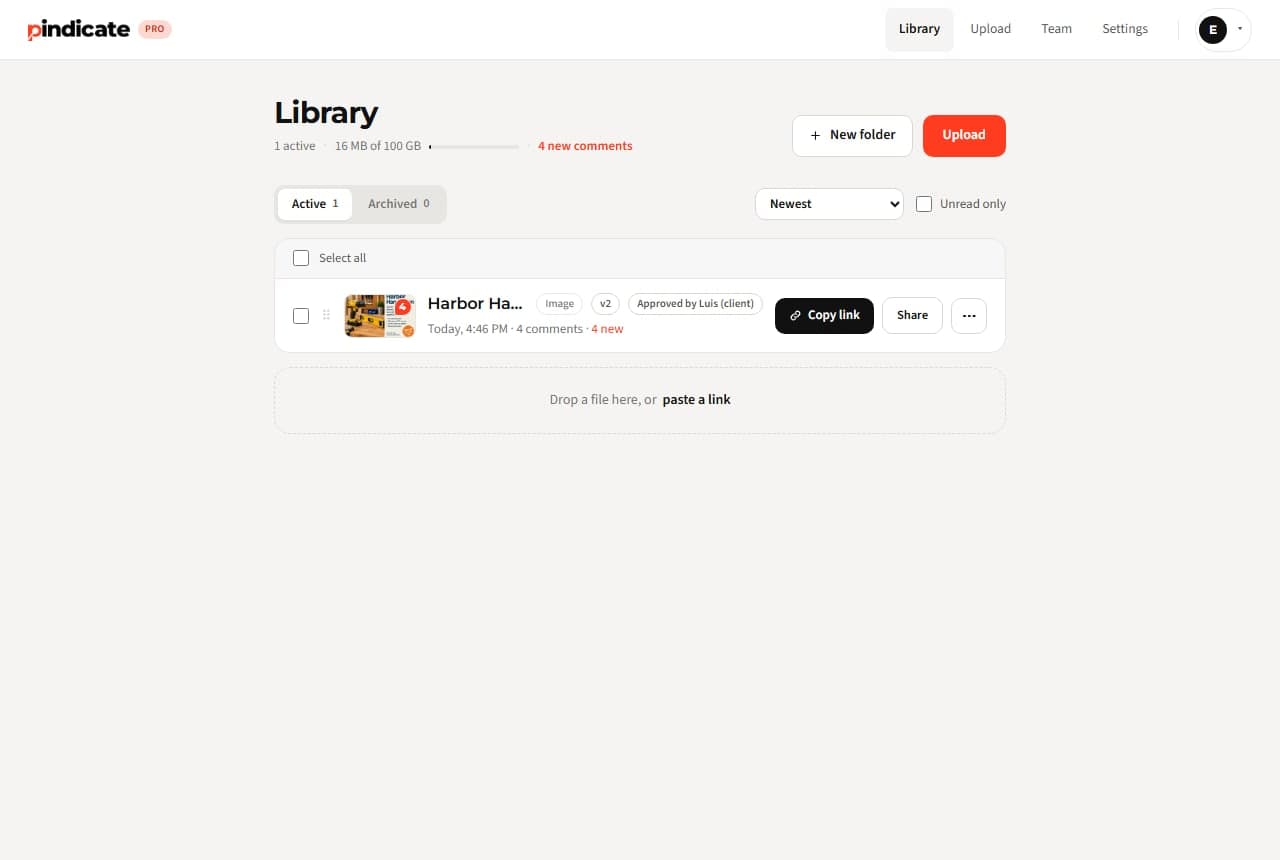
On Pro every round goes on the same link as a new version. The client always opens the current one; the old rounds stay underneath.
Approval by “looks good!” in a text.
On Pro the client clicks Approve on a version and you get the email with their name and the time. Printable, if it ever comes to that.
How design proofing works on Pindicate
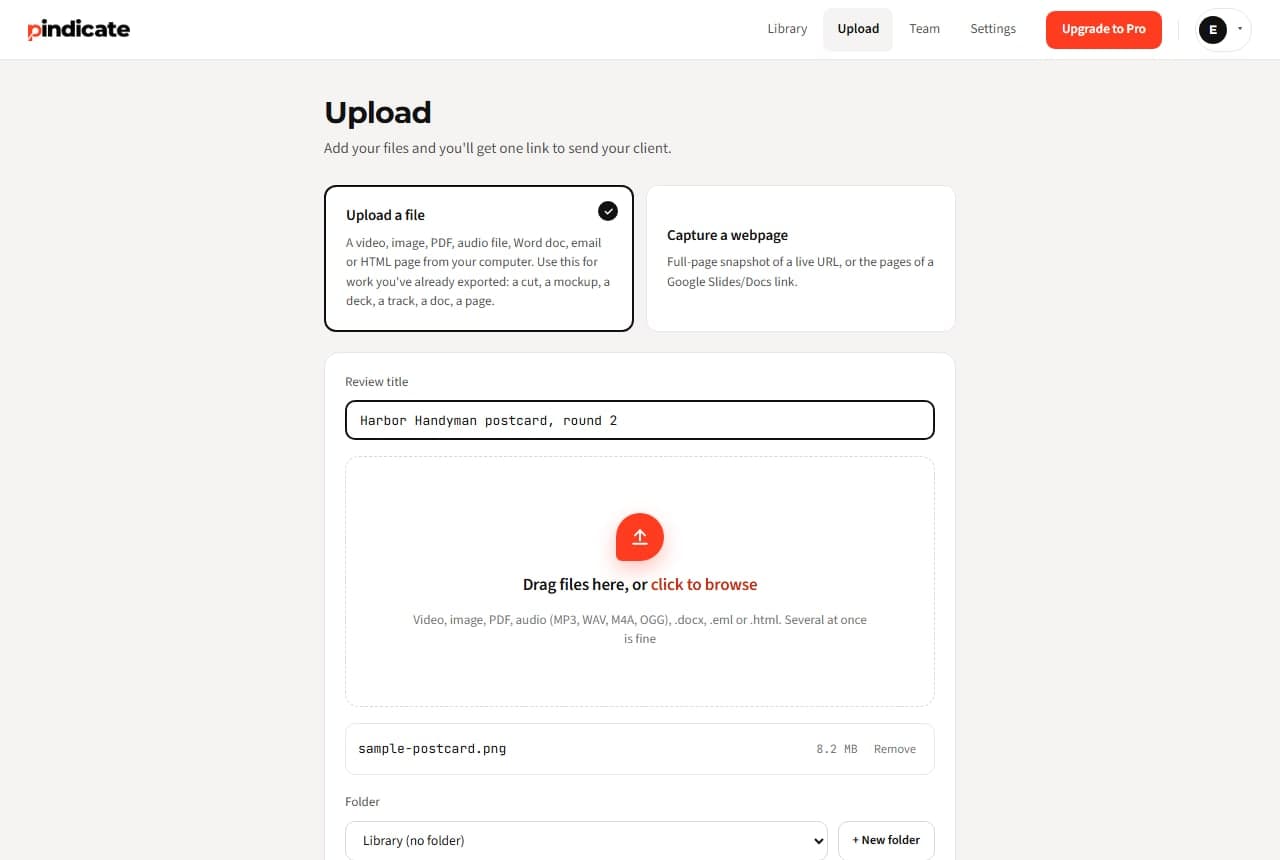
- Upload the artwork. PNG, JPEG, PDF, several files at once if the job has a front and a back. One link.
- Send the link. Name it for the round (“Postcard front, round 2”).
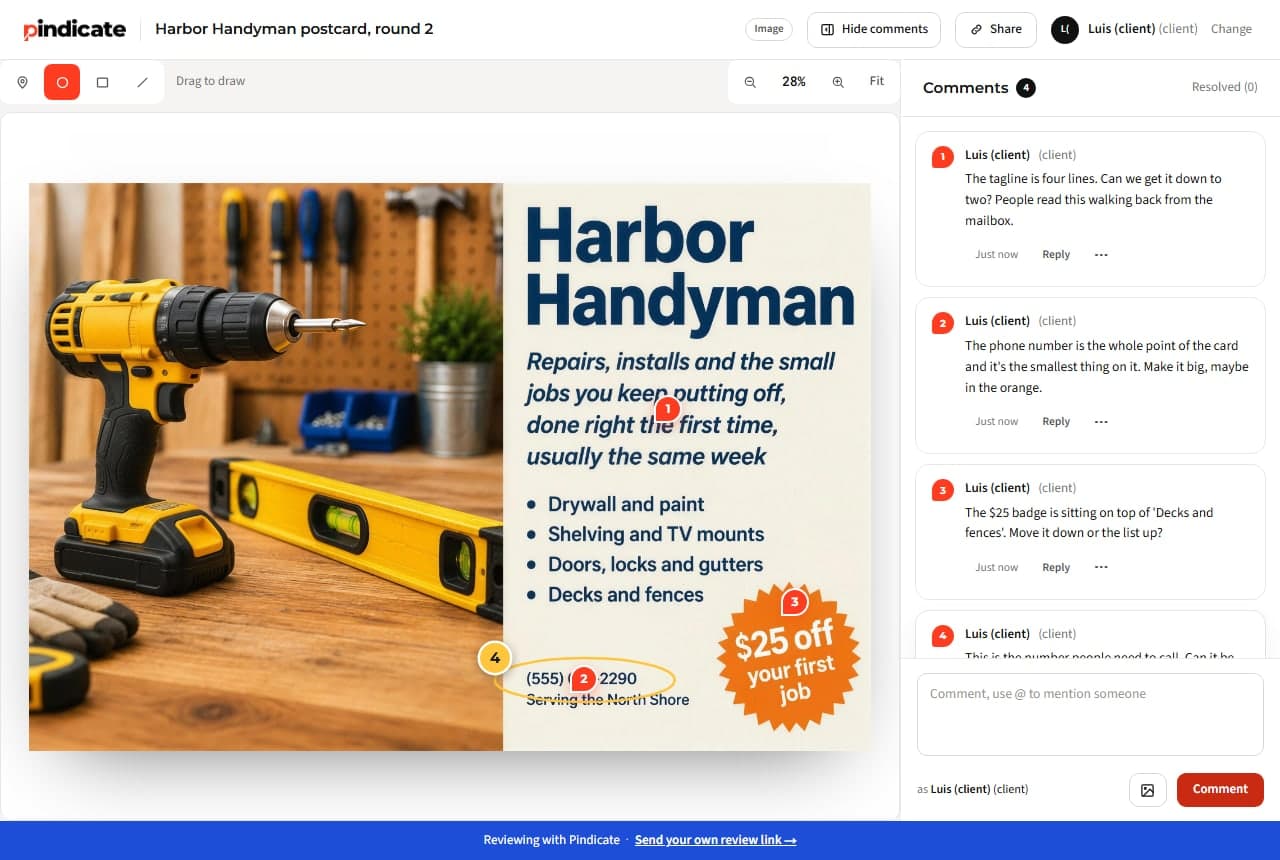
- They click and type. A numbered pin lands where they clicked. They can circle, box or strike through anything.
- Fix, reply, resolve, re-upload. Notes in order with replies. On Pro the next round goes on the same link.
Every round on one link, and a sign-off you can point to
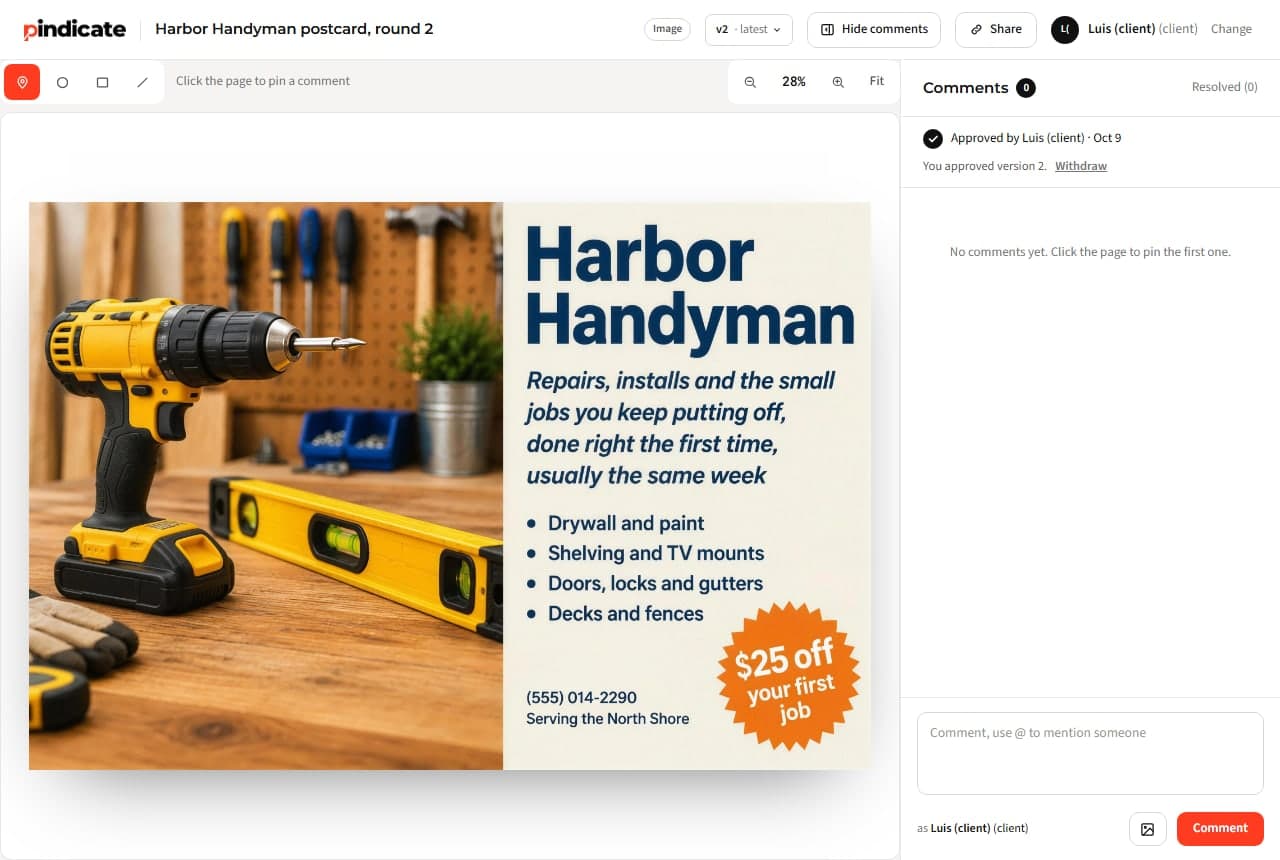
Round 2 replaces round 1 for the client and both stay for you. When they're happy they click Approve; you get the email with the name and the time. Automatic reminders nudge a quiet client so you don't have to.
Pindicate is for feedback and sign-off on the design. It doesn't check bleed, color profiles or barcodes; your print shop's preflight still does that.
The brief, the website and the launch video go through the same link
The client's Word brief, the PDF deck, the landing page (paste the URL), the reel. Same link style, same name-and-comment.
- Video
- Audio
- Images
- PDFs
- Websites
- HTML
- Word
- Google Docs and Slides
One flat price. Not per client, not per reviewer.
Free: 3 active reviews, 5 GB. Pro: $12 a month flat, 100 GB, 5 teammate logins; clients never count.
- Clients need an account?
- No
- Per-reviewer fee?
- No
- Per-file limit?
- None
When the round stalls, Pindicate nudges the client for you
- Versions on the same link. Round 2 replaces round 1 for the client; both stay for you.
- Approval in writing. The client clicks Approve; you get the name and the time.
- Automatic reminders. A quiet client gets a nudge, so you don't have to chase.
- Instant comment emails instead of a daily digest.
- Your logo on the review page, no Pindicate footer, password-protected links.
- Up to 5 teammate logins. A second designer sees the same pins.
3 active reviews at a time, 5 GB, every format.
Unlimited active reviews, 100 GB, versions, approvals, reminders, logo, 5 teammate logins.
One flat price. No per-client or per-reviewer fees.See pricing
Questions graphic designers ask
How do I proof a design with a client?
Upload the artwork, send the link, and have them click the exact spot and type. Keep every round on the same link so “the last version” means one thing. Ask for a click on Approve at the end so sign-off is in writing.
Do clients need an account to comment on a design?
No. They open the link, type a name and click where they mean. No app, no login.
What file types can I send?
PNG, JPEG, WebP and GIF images, PDFs up to 100 pages, plus video, audio, websites by URL, HTML, Word, Google Docs and Slides, and emails. No per-file size limit.
Can I send the front and back of a postcard as one review?
Yes. Upload both files together and they sit on one link as tabs. The client comments on each; you see both sets of notes in one place.
How do versions work?
On Pro, upload the next round to the same review. The client's link opens the new version; the earlier ones stay underneath for reference, with their comments.
Does it check print specs?
No. Pindicate is for feedback and approval on the design itself. Bleed, color profiles and barcodes are your print shop's preflight.
Send the next round as a link, not an attachment.
Upload the artwork, send one link, read every note on the spot it's about. Free, nobody signs up to comment.