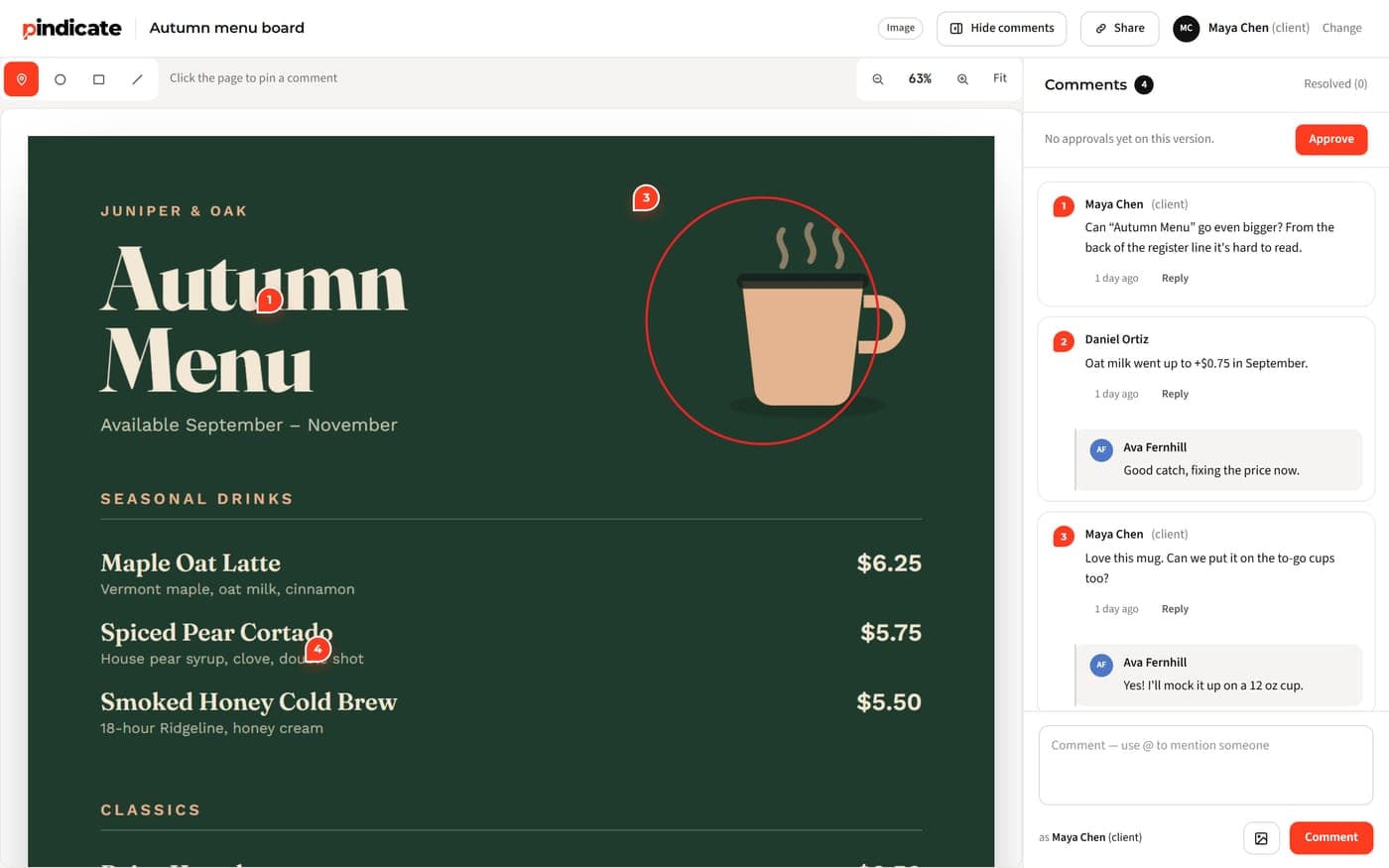
What is Frame.io? Adobe's video review and collaboration tool, explained: what it does, what it costs, the free and Creative Cloud tiers, and who it fits.
Table of contents
TL;DR: Frame.io is Adobe's online tool for sharing video and other creative files and collecting feedback on them. Clients and teammates leave comments tied to exact frames, and reviewers don't need an account. It has a free plan, paid plans at $15 or $25 per person a month, and a small tier included with some Creative Cloud plans.
Key takeaways:
- Adobe has owned Frame.io since October 2021, and it's built to work inside Premiere.
- People you share a link with can comment without signing up.
- Free: 2 members, 2GB, 2 projects. Pro: $15 per member per month.
- Creative Cloud All Apps, Premiere and After Effects plans include 2 users, 5 projects and 100GB.
- It's strongest for Premiere teams that need lots of storage and on-set uploads.
Facts checked on frame.io and adobe.com in October 2026.
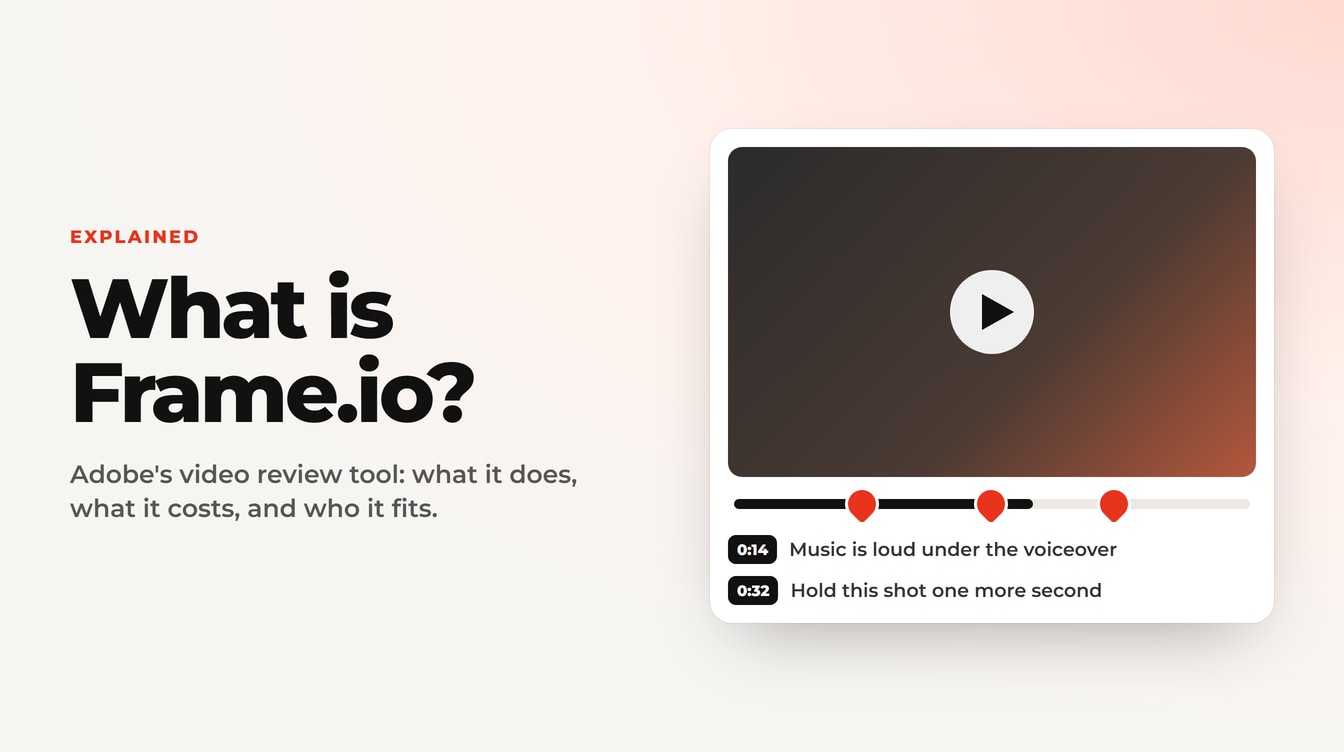
An email lands with the subject "Review requested." Inside is a Frame.io link. Or your editor says, "I'll send the cut over on Frame.io." Either way, you're wondering what you just got.
So, what is Frame.io? It's the review tool a lot of video teams use to share a cut and collect notes on it. This guide covers what it does, what it costs, whether it's free, and whether you need it. Plain words, no sales pitch.
What is Frame.io?
Frame.io is an online platform from Adobe where creative teams upload videos and other files, share them, and collect feedback pinned to an exact frame. It also stores and organizes those files and connects to Premiere and After Effects.
Definition: Frame.io. An online platform from Adobe where creative teams upload video and other files, share them with clients and colleagues, and collect comments tied to an exact frame or spot. It also stores and organizes the files, and connects to Premiere and After Effects.
Three things to know:
- It started as a video review tool. Editors used it to stop emailing giant files and collecting notes like "around the middle, the music is loud."
- Adobe bought it. Adobe completed the acquisition on October 7, 2021 and called it "an industry-leading video collaboration platform."
- It does more than video now. Frame.io's homepage says it handles feedback on "videos, images, and docs." Video is still the center of it.
What does Frame.io do?
Frame.io does four main jobs: review and approval, file storage and sharing, work inside Adobe's apps, and a few on-set and media tools. Most small teams use the first two.
Review and approval
You upload a cut and send a link. Your client watches it and leaves comments at the exact frame, and they can draw on the picture to point at something. Frame.io's pricing page says share links "don't require them to sign up or log in." Comments land in one list, so nothing gets lost in an email thread.
Upload, store and share
Frame.io keeps your files in projects and folders and plays them back in the browser. Paid plans add password-protected links, links that expire, and branded share pages. Storage is large: Pro starts at 2TB.
Work inside Adobe apps
This is the big one for Premiere editors. Frame.io says it gives editors "frame-accurate notes right in their workspace." Your client's comments show up inside Premiere, on the timeline, so you don't have to switch windows to read them.
On-set and media tools
Camera to Cloud uploads footage from set as it's shot. Frame.io describes it as takes uploading "the moment the director yells 'cut.'" It can also create searchable transcripts and captions.
Heads Up: If someone sent you a Frame.io link, you can usually watch and comment without an account. Open the link, type your name if it asks, and click on the video where you want to leave a note.
Who owns Frame.io?
Adobe owns Frame.io. Adobe completed the deal on October 7, 2021.
In practice, that ownership shows up in three ways. Frame.io works inside Premiere and After Effects. Some Creative Cloud plans include a small Frame.io tier. And Frame.io's security sits under Adobe's security programs. If you already live in Adobe's apps, that's a real plus.
How much does Frame.io cost?
Frame.io costs $0 on Free, $15 per member per month on Pro and $25 per member per month on Team, before tax. Enterprise is custom pricing through sales. Paying yearly takes 13% off Pro and Team.
| Plan | Price | Members | Storage | Projects |
|---|---|---|---|---|
| Free | $0, no card | Up to 2 | 2GB | 2 |
| Pro | $15 per member per month | Up to 5 | 2TB + 2TB per added member | Unlimited |
| Team | $25 per member per month | Up to 15 | 3TB + 2TB per added member | Unlimited |
| Enterprise | Custom | Custom | Custom | Unlimited |
Source: Frame.io pricing page, checked October 2026.
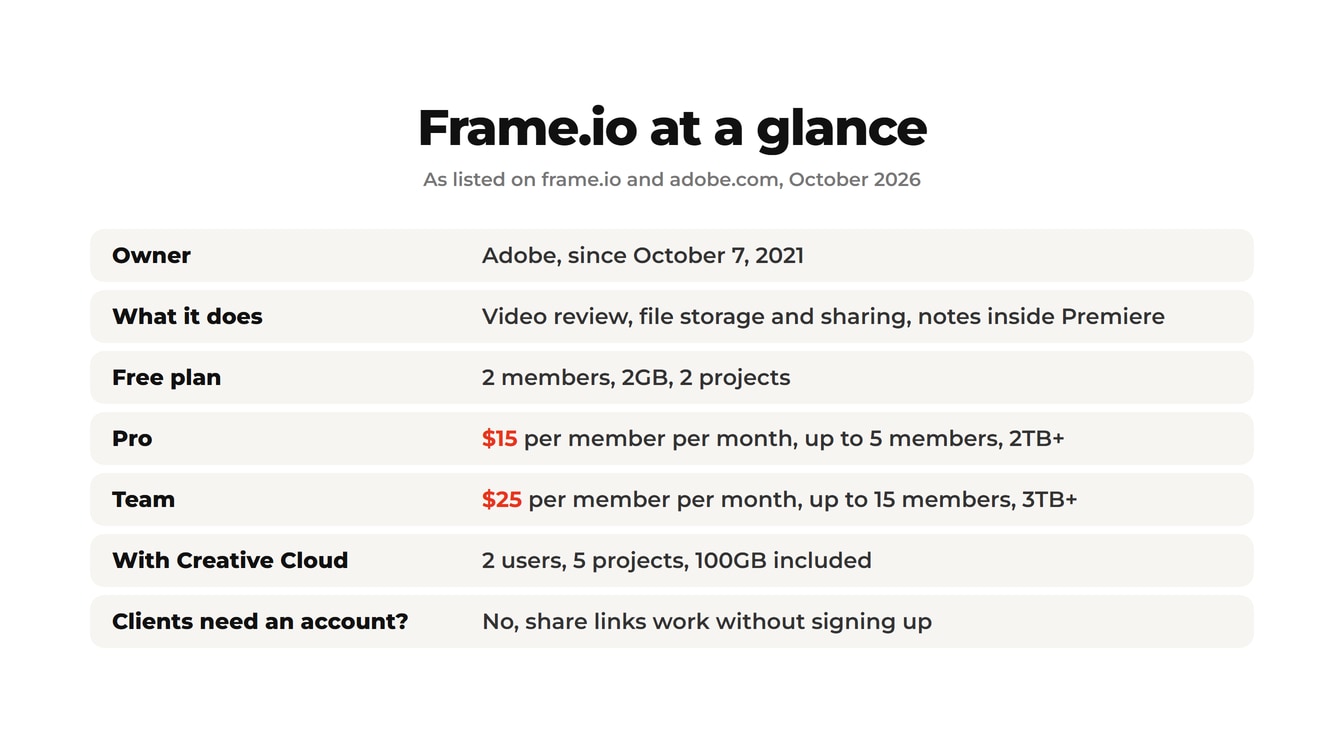
The phrase to watch is "per member." Every person who logs in to your account adds to the bill. Reviewers on a share link don't.
Key Insight: A 3-person studio on Pro pays $45 a month before tax. Hire a sixth person and Pro no longer fits, so the account moves to Team at $25 each: $150 a month.
For the full math at 1, 3 and 5 people, see our Frame.io pricing breakdown, explained per person.
Is Frame.io free?
Yes, two ways. There's a Free plan anyone can use, and a tier included with some Adobe Creative Cloud plans. Both have tight limits.
The Free plan costs $0 and needs no credit card. It allows 2 members, 2GB of storage and 2 projects. That's enough to test the workflow with one real client. It's not enough to run a business on, since 2GB fills up fast with video.
The Creative Cloud tier comes with Creative Cloud All Apps, and with individual Premiere and After Effects plans. Frame.io's Creative Cloud page lists "two users, five projects, 100GB of storage, and Camera to Cloud," plus unlimited reviewers. Need more and you pay for a Frame.io plan "billed separately."
Pro Tip: Check your Creative Cloud plan before you pay for Frame.io Pro. If you edit alone in Premiere with 5 or fewer projects going, the included tier may be all you need.
If you want to compare free options side by side, see free video review software compared.
Is Frame.io safe?
Yes. Frame.io holds the security certifications you'd expect from an Adobe product, which matters if you share unreleased client work.
According to Frame.io's security page, it has:
- SOC 2 Type 2, an independent audit of security and availability
- ISO 27001, through Adobe's security program
- TPN Gold Shield, the film industry's content-protection standard
- AES-256 encryption for stored files, and encrypted connections in transit
- Password-protected share links, plus forensic watermarking on Enterprise
For most freelancers and studios, that's more than enough. Big studios with pre-release films get the extra watermarking and access controls on Enterprise.
Want to see a simpler video review from the client's side? Open a sample video review, no signup needed.
Who is Frame.io for?
Frame.io fits teams that edit in Premiere every day, need lots of storage, and want Adobe's tools tied together. It's often more than a solo editor or small studio needs, mostly because you pay per person.
| Frame.io is a great fit if... | A simpler tool may fit if... |
|---|---|
| Your team edits in Premiere or After Effects every day | You don't need client notes inside your editing app |
| You need terabytes of storage | You mostly share a cut and collect notes |
| You shoot on set and want Camera to Cloud | You're one person with a handful of clients |
| Several people each need their own login | You'd rather pay one flat price |
| You need enterprise security or watermarking | You also send PDFs, websites or slides for review |
Here's how that plays out. A 4-person agency cutting brand videos in Premiere, shooting weekly, storing every take? Frame.io earns its price. A freelance editor who sends three clients a cut each week mostly needs a link and clear notes. That editor is paying for storage and integrations they won't touch.
Reality Check: Storage is where Frame.io clearly wins. Pro starts at 2TB. Most lighter review tools, ours included, offer far less.
Curious what else is out there? Here are the Frame.io alternatives worth a look.
A simpler option for client feedback
If your main job is getting a client to watch a cut and leave clear notes, a lighter tool can do that for a lot less. Pindicate (our product) is built for exactly that, for freelancers and small studios.
You upload a cut and share one link. Your client clicks play and leaves notes at the exact second, and they can draw on a frame to point at something. They never make an account. The same kind of link also works for images, PDFs, websites, audio and documents, so one client can review the video and the brochure in the same place. See how it works in Pindicate for video editors.
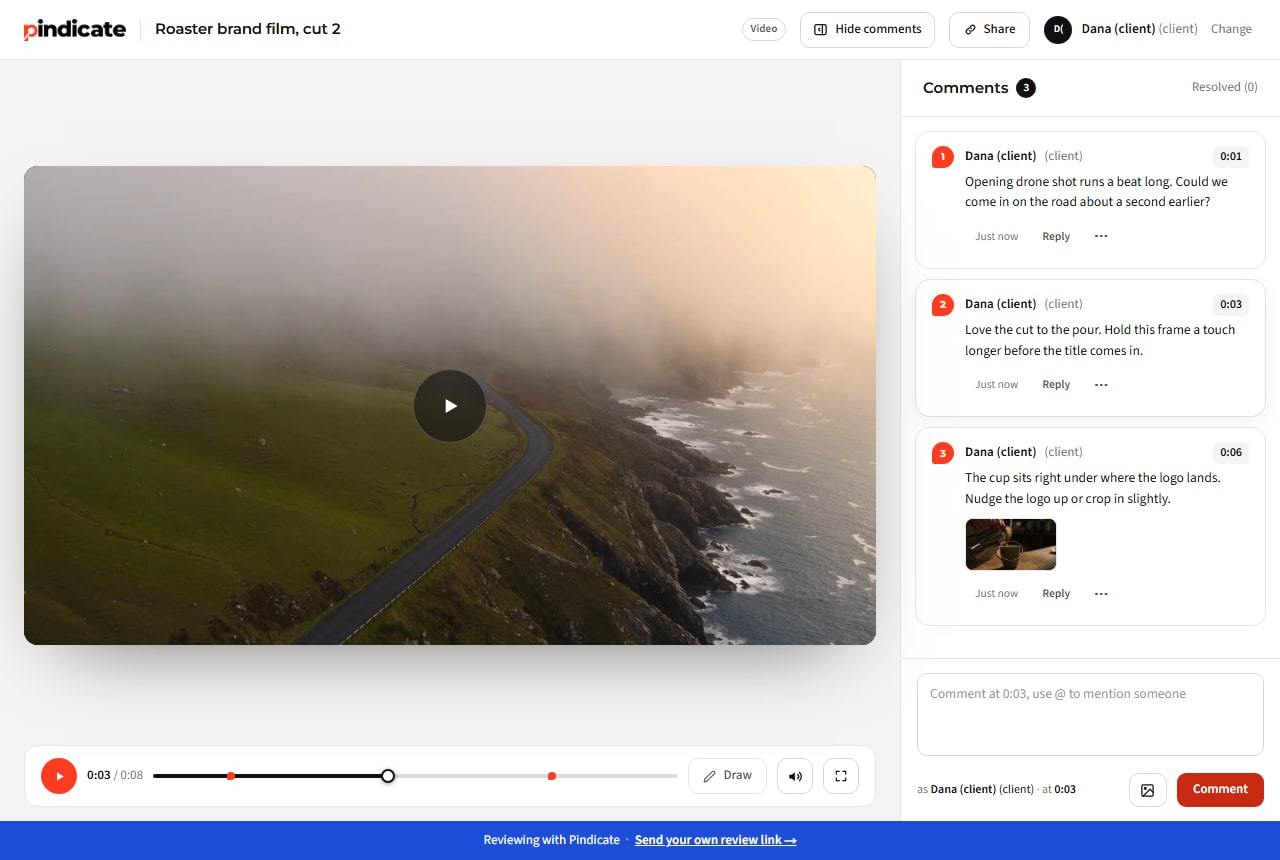
Pricing is flat, not per person. The Free plan gives you 3 active reviews and 5GB. Pro is $12 a month or $96 a year and adds versions on the same link, approvals, reminders and up to 5 teammate logins.
Now the honest limits. Pindicate has no Premiere panel and no Camera to Cloud, and Pro storage is 100GB, not terabytes. If your team lives in Premiere and needs that storage, Frame.io is the better fit. If you send more than video, our client feedback tool for any file covers it.
Frequently Asked Questions
Is Frame.io owned by Adobe?
Yes. Adobe completed its acquisition of Frame.io on October 7, 2021. Since then, Frame.io has been built into Adobe's tools: it works inside Premiere and After Effects, and some Creative Cloud plans include a small Frame.io tier. It still runs as its own product with its own plans at frame.io.
Is Frame.io free to use?
Partly. Frame.io's Free plan costs $0 with 2 members, 2GB of storage and 2 projects. Creative Cloud All Apps, Premiere and After Effects subscribers also get 2 users, 5 projects and 100GB included. Both work for testing or light use. Most working teams outgrow them and move to a paid plan.
How much does Frame.io cost?
Frame.io Pro costs $15 per member per month and Team costs $25 per member per month, before tax. Enterprise is custom pricing. Paying yearly saves 13%. Because pricing is per member, a 3-person team on Pro pays $45 a month, and the bill grows with every person who needs a login.
Is Frame.io safe to use?
Yes. Frame.io holds SOC 2 Type 2, ISO 27001 through Adobe, and the film industry's TPN Gold Shield. Stored files use AES-256 encryption, and share links can be password protected. Enterprise plans add forensic watermarking for pre-release work.
Do clients need an account to review on Frame.io?
No. Frame.io share links let people watch and comment without signing up or logging in. Your client opens the link, adds their name if asked, and leaves notes on the video. Only the people working inside your account need logins, and those are the ones you pay for.
Can one person use Frame.io, or is it for teams?
One person can use it. A solo editor can start on the Free plan or pay $15 a month for Pro. Frame.io is built with teams in mind, though, and its pricing is per member, so costs rise as people join. Solo editors who mainly need client notes often pick a lighter tool.
Try a lighter way to get video feedback
Frame.io is a strong choice for Premiere teams that need storage and Adobe's tools working together. If you mostly need a client to watch a cut and tell you exactly what to change, you don't need all of that.
Try Pindicate free: upload a cut, share one link, and your client leaves notes at the exact second, with no account. Start your first review link. When you need versions and approvals, Pindicate pricing is one flat $12 a month.