A simple artwork approval process for freelancers and small studios: 6 steps, a pre-print checklist, and a sign-off message you can copy.
Table of contents
TL;DR: An artwork approval process is the set of steps that gets a design a clear, recorded yes before it prints or goes live. A small studio needs six: lock the brief, send one proof link, collect feedback in one place, revise as a new version, get a named sign-off, and run a final pre-print check.
Key takeaways:
- Most extra revision rounds come from a thin brief, not a picky client.
- "Looks good!" on a phone call is not an approval. Get a name, a date and a version.
- One person signs. Everyone else comments.
- After a written sign-off, text errors are usually the client's cost. Put that in your terms.
- A small team does not need enterprise artwork software. It needs one link and a clear Approve step.
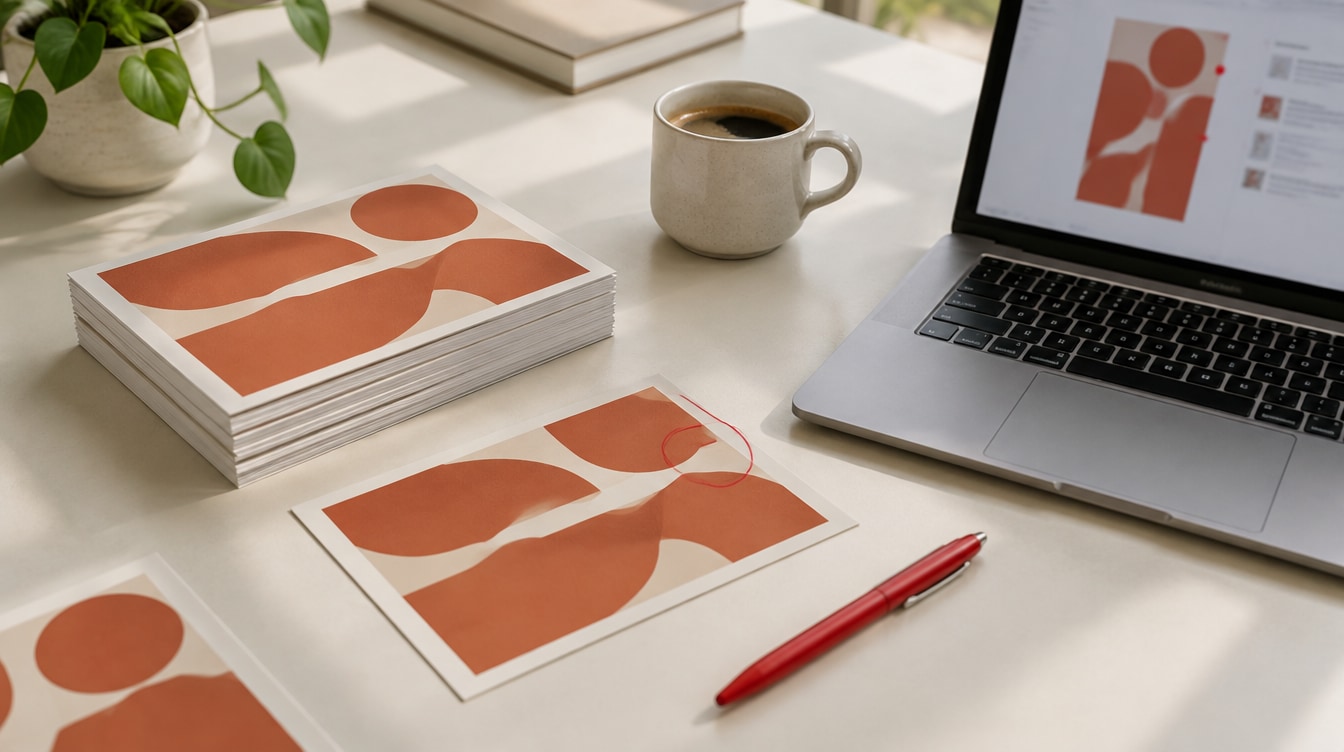
The postcards came back from the printer on a Tuesday. All 2,000 of them. Last year's phone number, right there under the logo.
The client had approved it. Or had they? Their email said "looks great, maybe tweak the blue?" Nobody could say if that was a yes.
That's what a missing artwork approval process costs you. Not the design work. The gap between "sent" and "signed." This guide gives you a process small enough to run on every job, a checklist to use before print, and two messages you can copy today.
What is an artwork approval process?
An artwork approval process is how a design moves through review, changes and a final yes before it's produced. It decides who looks at the artwork, where their notes go, and who is allowed to sign.
Definition: Artwork approval process. The steps a design goes through between the first proof and the final sign-off. It covers who reviews the artwork, how feedback is collected, how changes are tracked, and who gives the final yes before it goes to print or goes live.
You'll also hear it called proof approval. A proof is a preview of the finished piece that the client checks before production. Printers still run their own final check too, called prepress proofing.
The process isn't only for print. Social graphics, ad sets, web banners and logo files all need a clear yes too. Print just punishes a missing one faster, because you can't edit 2,000 postcards.
The 6-step artwork approval process
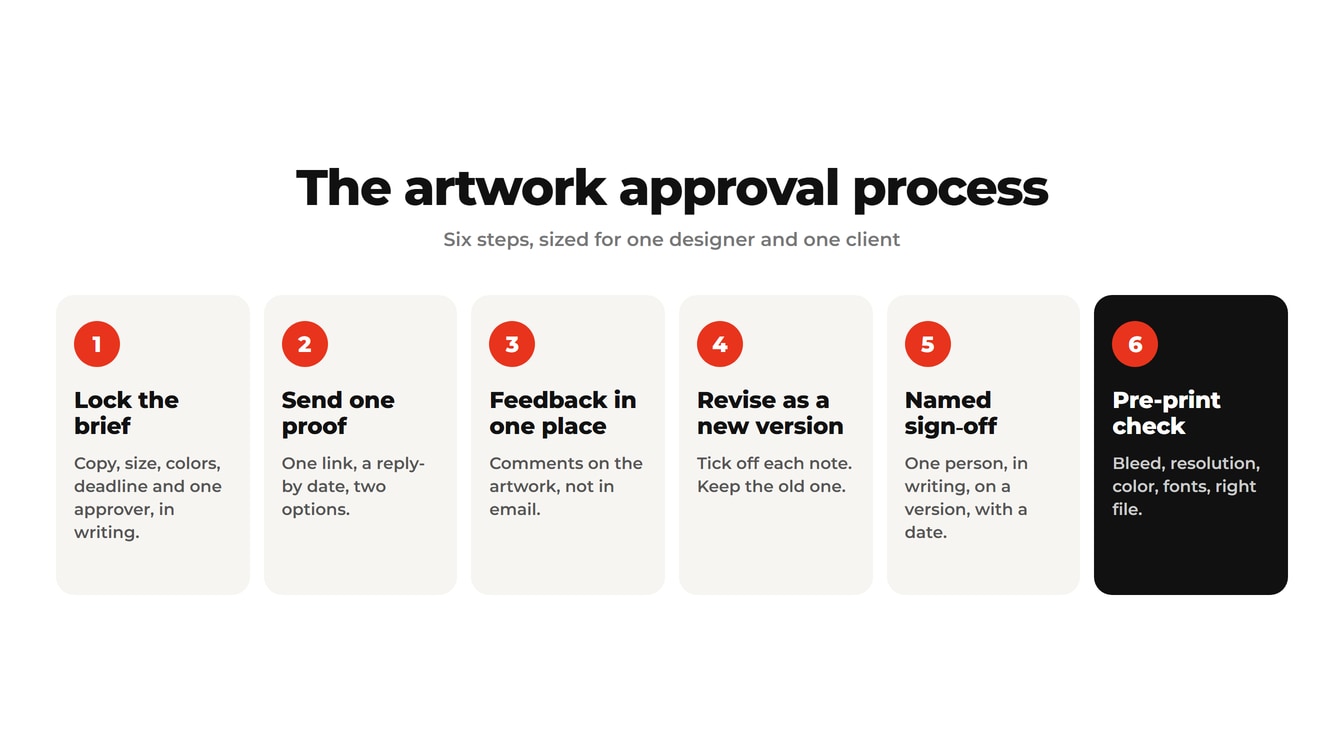
The six steps are: lock the brief, send one proof, collect feedback in one place, revise as a new version, get a named sign-off, and run a final pre-print check. Each one closes a gap where jobs usually stall or go wrong.
Step 1: Lock the brief before you design
Most approval delays start before the first proof, with a brief that leaves size, colors or copy open. Every blank becomes a guess. Every guess becomes a round.
Before you open your design app, confirm these in writing:
- Final copy, supplied by the client. You lay out their words. You don't write their phone number from memory.
- Exact size and bleed. Ask the printer for their spec sheet if you can.
- Colors. Pantone references or brand hex codes. "Blue" is not a color spec.
- Where it prints or runs. Uncoated paper, a vinyl banner and an Instagram feed all behave differently.
- Quantity and deadline, including the date the printer needs final files.
- Who signs off. One name.
Key Insight: Revision rounds are mostly a brief problem. Decoded Ops, which works with print and decoration shops, says a complete brief cuts most jobs from 3 to 5 rounds down to 1. That's their field observation, not a study, but it matches what most designers see.
Logo jobs show this best. If you haven't agreed on where the logo will live, you'll redo it for every surprise use. Our guide to getting feedback on a logo design covers the questions to ask first.
Step 2: Send one proof, one link
Send the proof as one link or one file that opens on any device, with a deadline and two clear options. The client should never wonder which file is the real one.
Things that slow this step down:
- Attachments buried in a long email thread
- Three options sent at once with no recommendation
- Files named "flyer_final_FINAL2.pdf"
- No date for a reply
Pro Tip: Put a deadline on every proof. The University of Washington's print shop gives clients three business days to approve standard jobs and 48 hours on rush jobs. It also says plainly that a late approval moves the delivery date. Borrow that line.
Here's an approval request you can copy:
Hi [Name], your [item] proof is ready: [link]. Please check the copy, dates, phone numbers and logo. Reply by [day, time] with either "Approved" or the changes you need, marked on the proof. Once approved, it goes to print exactly as shown.
Step 3: Collect feedback in one place
Ask the client to comment on the artwork itself, so every note points at a spot. Feedback split across email, text and a phone call is where mistakes hide.
"Make the logo bigger" is a fine note until there are two logos on the page. A comment pinned to the right spot needs no follow-up question.
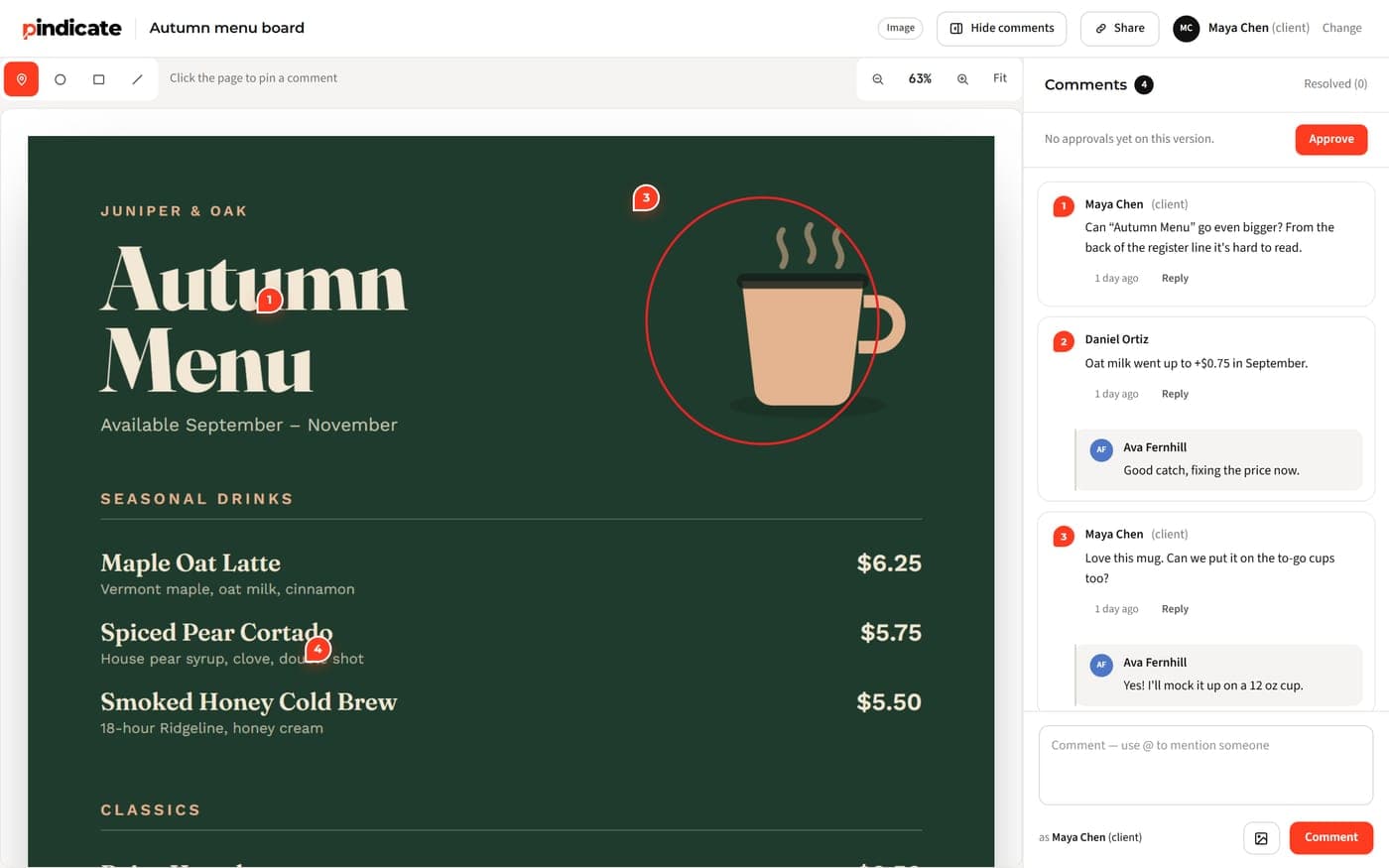
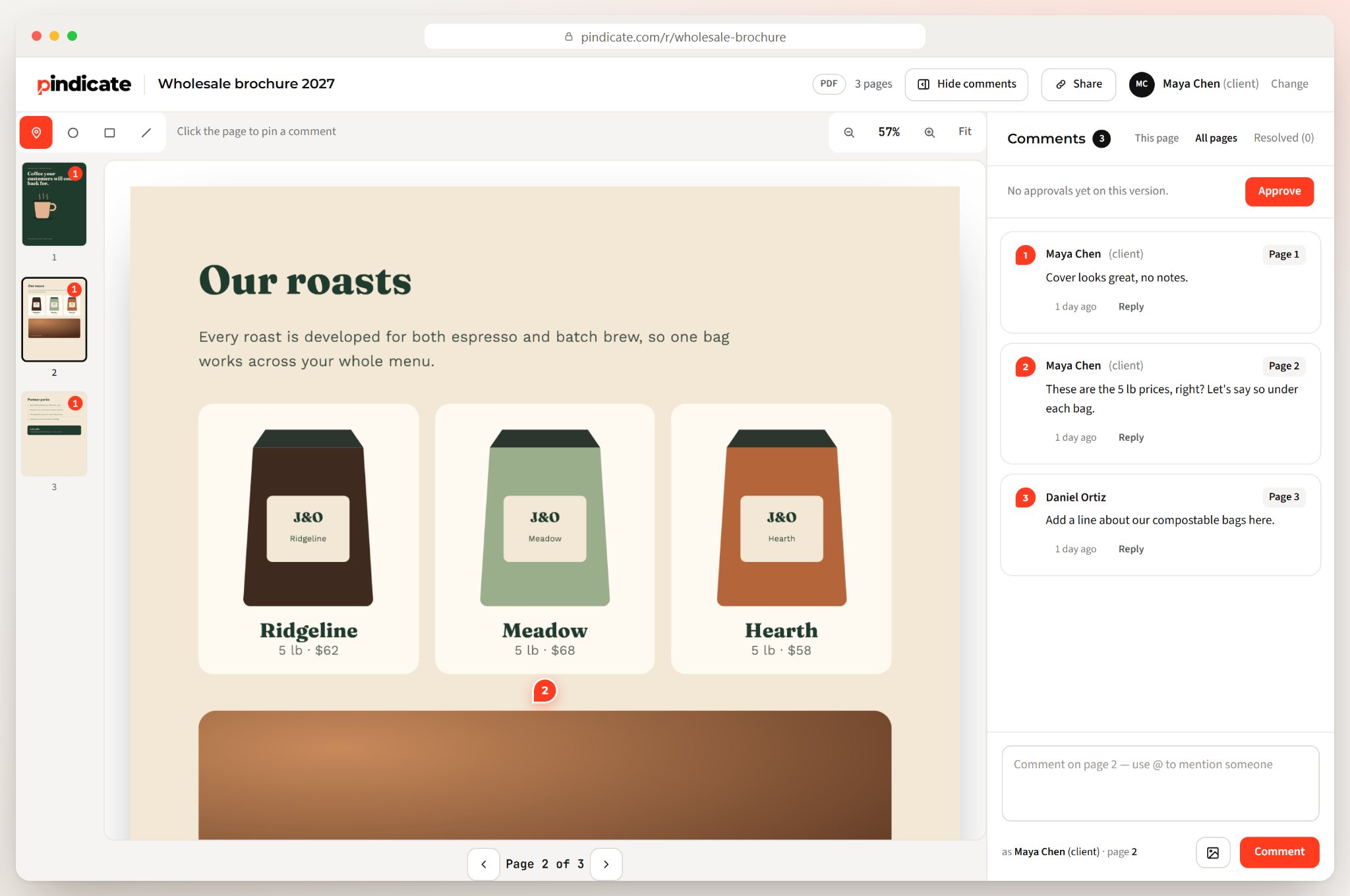
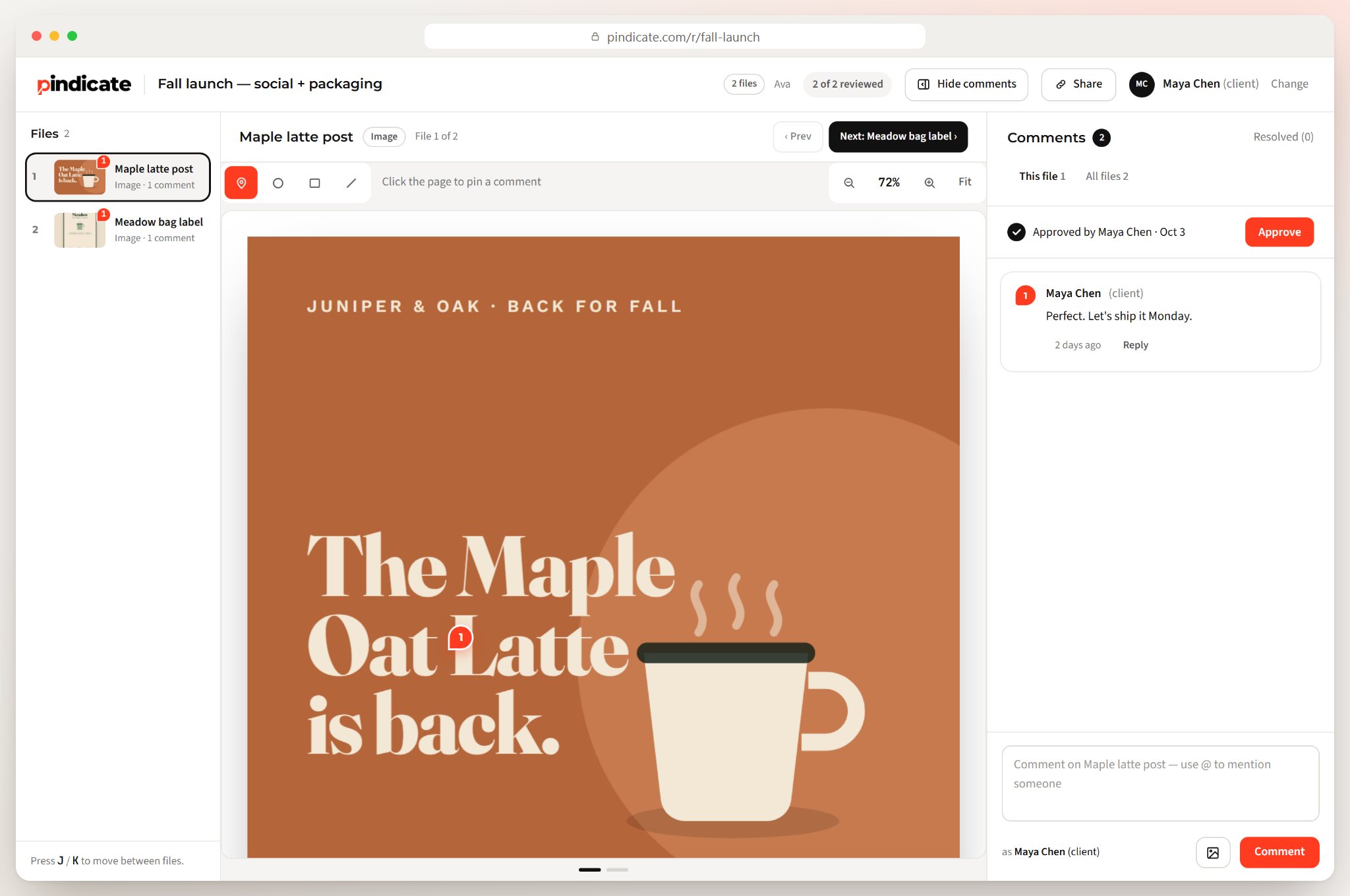
This is the step a review link handles best. In Pindicate, you upload the artwork and share one link. Your client clicks on the spot and types the note right there, with no account to create. It works for images and PDFs, plus video, websites and documents if you do other work too.
Clients often don't know how to give useful notes. That's normal. Send them this guide to giving design feedback with the first proof. It teaches a simple formula: what you noticed, where it is, and why it matters.
Step 4: Revise and send it as a new version
Make the changes, then share the next version so the client can see what changed and nobody approves an old file. Version mix-ups cause more print errors than bad design does.
A few habits help:
- Tick off each comment as you fix it, so nothing gets skipped.
- Keep the old version. You'll want it when someone asks "what did it look like before?"
- Never slip new changes into a file that was already approved. New change, new round.
Two or three rounds is normal. Five means the brief or the approver is the problem. Go back to Step 1 and find the blank.
If you're on Pindicate Pro, new versions go on the same link. The client always opens the current one, and older versions stay one click away. Pro is $12 a month, flat.
Step 5: Get a named, dated sign-off
Approval should come from the one person allowed to sign, in writing, on a specific version, with a date. Anything less is a hope, not an approval.
Watch Out: "Yeah, that looks fine" on a phone call is not an approval. If something is wrong later, you have nothing to point to. Ask for it in writing, even if it's one word.
Name the approver in the brief. Other people at the client can comment, but only that person signs. This stops the classic mess where the owner approves and the marketing manager sends changes an hour later.
Pindicate has an Approve button on the review link. It shows who approved which version and when, like "Approved by Maya Chen · Oct 3," and emails you the moment it happens. Approvals are part of Pro. It's a clear record, not a legal e-signature.
Who pays if there's a typo after sign-off? Usually the client, if your terms say so. The UW print shop's policy says it directly: "Proof approval confirms acceptance of all content and layout as final." Designers say the same. One answer on Graphic Design Stack Exchange, in "Who is responsible for text mistakes in a print project?", puts it this way:
"Your contract should state that you are not responsible for content errors after the client has approved files for reproduction."
Add one line to your quote or contract that says this. Then the conversation after a mistake is short and calm.
Step 6: Run the final pre-print check
After sign-off, check the production file once more before it goes to the printer. The client approved what they saw on screen. They didn't approve your export settings.
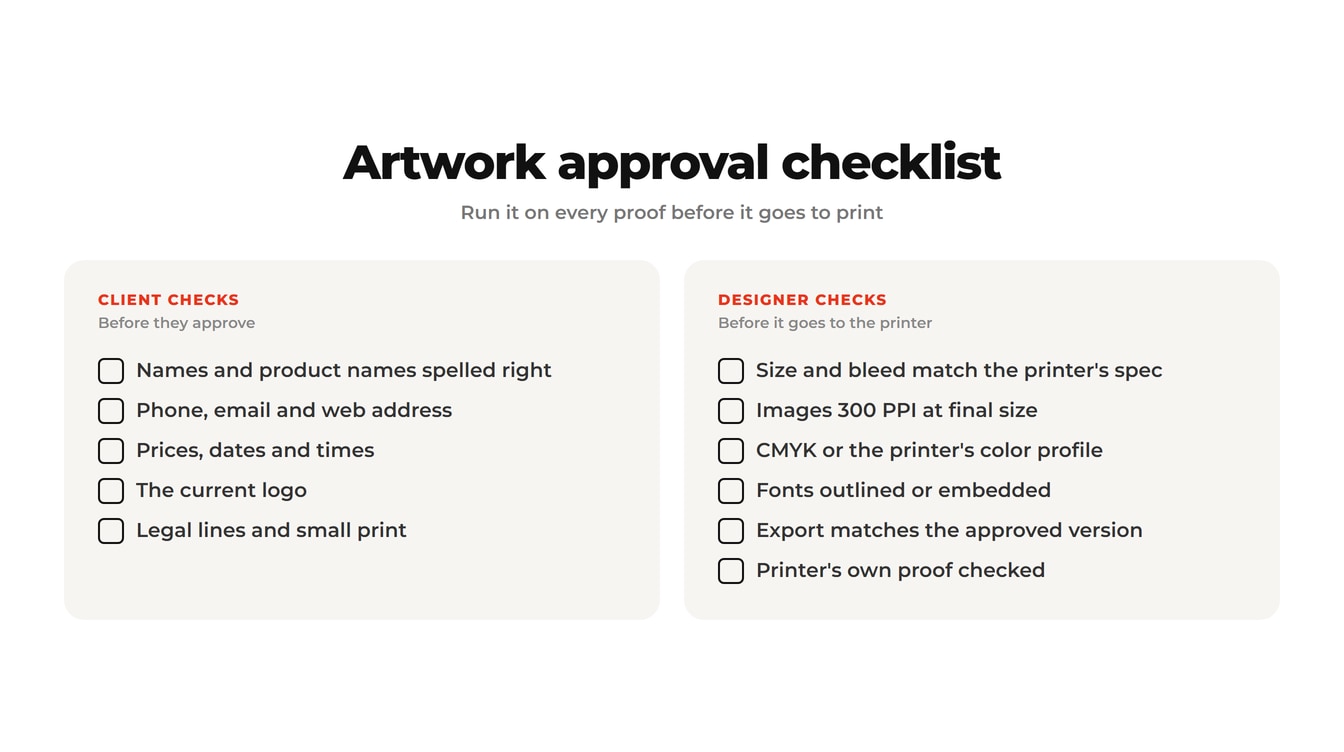
Use this artwork approval checklist. The first half is for the client. The second half is yours.
Client checks (before they approve):
- Names and product names spelled right
- Phone number, email and web address
- Prices, dates and times
- The current logo, not an old one
- Any legal lines or small print they need
Designer checks (before it goes to print):
- Size and bleed match the printer's spec. A common bleed is 3 mm, or about 1/8 inch.
- Images are 300 PPI at final print size.
- CMYK or the printer's color profile
- Fonts outlined or embedded
- The exported file matches the approved version, not the one before it
- The printer's own proof checked, if they send one
Watch Out: Screens and paper show color differently. For color-critical work, ask the printer for a hard proof. UW notes that hard proofs add two to three business days, so ask early.
The split matters. Print Handbook's guide to who's responsible for what puts text errors on the client and file setup on the designer. Your checklist should match that line.
Want to see what your client would see? Open a sample review link, no signup needed. Or start a free review link for your next proof.
Which artwork approval tools fit a small studio?
For one designer and one or two client contacts, a review link with comments and an Approve step covers the whole process. Enterprise artwork approval software is built for brand and packaging teams with legal, regulatory and translation reviews.
| Method | Good for | Where it breaks | Cost |
|---|---|---|---|
| Email with attachments | One quick job, one reviewer | Notes get scattered; unclear which version was approved | Free |
| PDF comments (Acrobat) | Clients who already use Acrobat | Marked-up copies come back as separate files | Free to view; paid to edit |
| Review link tool (Pindicate) | Freelancers, small studios, small agencies | Not built for regulatory or multi-language packaging sign-off | Free plan; Pro $12/mo or $96/yr flat |
| Enterprise artwork systems (Ziflow, Filestage, ManageArtworks) | Brand and packaging teams with many reviewers and compliance steps | More setup and cost than a two-person job needs | Filestage paid plans from $199/mo; ManageArtworks from $359/mo; Ziflow lists no prices (checked Oct 2026) |
Email works until the second round. That's usually when "which one did you approve?" starts. PDF comments are better, but every reviewer sends back their own copy, and merging them is your job.
The big artwork systems are good at what they're for: a food brand checking allergen text in eight languages. If that's not your job, you'll pay for steps you skip. For a side-by-side look, see our list of the best online proofing software.
How small studios can keep approvals simple
Run the same six steps on every job, big or small. Only the checklist length changes. A $200 logo and a $5,000 packaging job both need a brief, one link, one approver and a written yes.
Three habits do most of the work:
- Put the number of rounds in your quote. "Includes two rounds of changes" sets the pace before anyone sees a proof.
- Name the approver on day one. Write it in the brief and repeat it in the proof email.
- Follow up when the client goes quiet. Don't wait a week and hope.
Here's a follow-up you can copy:
Hi [Name], just checking the [item] proof reached you: [link]. To keep the print date, I need approval or changes by [day]. If someone else should sign off, let me know who.
On Pindicate Pro, reminders can do this for you. You add the client's email, and they get up to two reminder emails, which stop as soon as they leave feedback.
Pro Tip: If two people at the client keep sending opposite notes, stop the round. Reply to both: "Please agree on one set of changes and have [approver] send it." It feels blunt. It saves a week.
Running approvals with teammates? Our page on handling client approvals across an agency team shows how small agencies share one workspace.
Frequently Asked Questions
What is the process for design approval?
The design approval process is the same as the artwork approval process. Lock the brief, send one proof, collect feedback on the design itself, revise as a new version, and get a written sign-off from one named person. For print, add a final file check before it goes to the printer. It works for logos, web pages and ads as well as print.
Who is responsible for typos after artwork is approved?
Usually the client, as long as they had a chance to proof the artwork and approved it in writing. Many print shops and designers say so in their terms. The University of Washington's print shop states that proof approval "confirms acceptance of all content and layout as final." Add a line like that to your own contract so there's no debate later.
What should an artwork proof include?
An artwork proof should show the design at its final size and colors, what it will print on, and any trim or fold lines. Send it with a reply deadline and two clear options: approve as shown, or request specific changes marked on the proof. A vague proof gets a vague answer, so leave nothing open.
Why does artwork approval take so long?
Artwork approval is slow because of the waiting between rounds, not the design work. Most extra rounds come from a brief that left size, colors or copy open. The rest come from no deadline, more than one approver, or a client who forgot. A full brief, a deadline on every proof and one named approver fix most of it.
Is there an artwork approval process template?
Yes. Use the six steps in this guide as your template: brief, proof, feedback, revise, sign off, pre-print check. Copy the two messages above for the proof request and the follow-up. Copy the client and designer checklists for the final check. Save all three as a note you reuse on every job.
Do clients need an account to approve artwork online?
It depends on the tool. Some proofing tools ask every reviewer to sign up or log in. With Pindicate, clients don't need an account. They open the review link, click on the artwork to comment, and press Approve. You get an email when they do, and the approval shows their name and the date.
Get your next proof signed off
A good artwork approval process is small: one brief, one link, one named yes. Run it on every job and the Tuesday-postcard problem goes away.
Try Pindicate free: upload your artwork, share one link, and your client comments and approves without signing up. Start your first review link. The Free plan gives you 3 active reviews and 5 GB of storage. Pro adds approvals, versions on the same link and client reminders for $12 a month or $96 a year, flat.